NMS045 Reference Manual Configuring LD Settings for the RV50X A-13
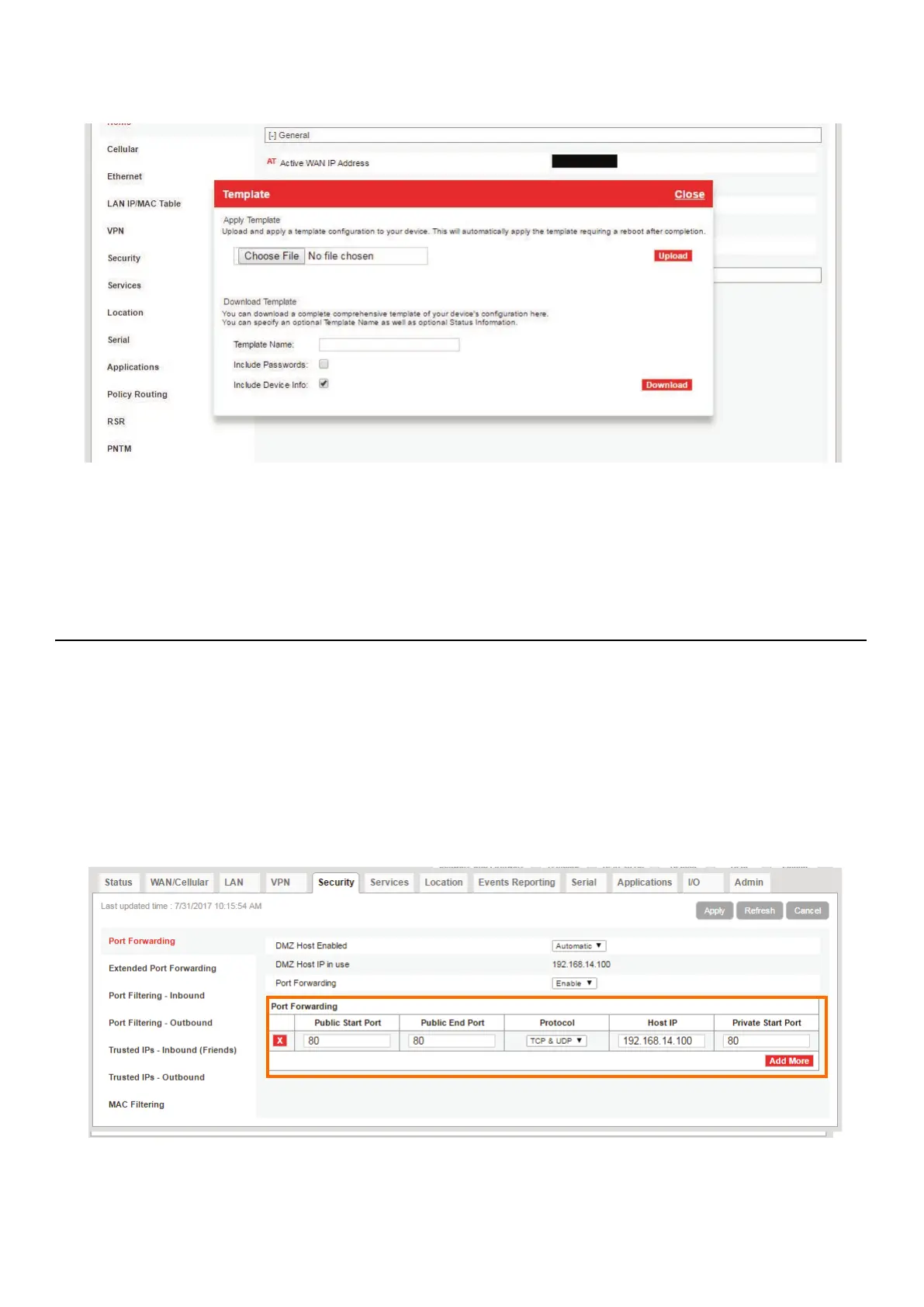
Step 7 Select Template in the top right. This opens the Template upload
window.
Step 8 Click Choose File, select the template file “RV50XTemplateFile.xml”
from the LD USB drive included with your system, then click Upload. If
needed, you can also access the file from http://www.LarsonDavis.com
Step 9 Select Apply. The gateway configuration is complete.
A.8.3 Configuring LD Settings Without the Template File
If you would prefer to manually configure the RV50X instead of
uploading the Template file, complete this section.
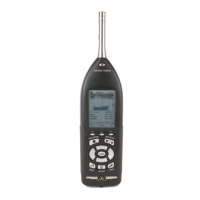
Step 1 Go to the Security tab, and in the left pane, select the Port Forwarding
section.
Step 2 Edit the values in the Port Forwarding section to match what is shown in
Figure A-9 Port Forwarding, and click Apply.
FIGURE A-9 Port Forwarding


 To Next Page