NMS045 Reference Manual Configuring LD Settings for the RV50X A-14
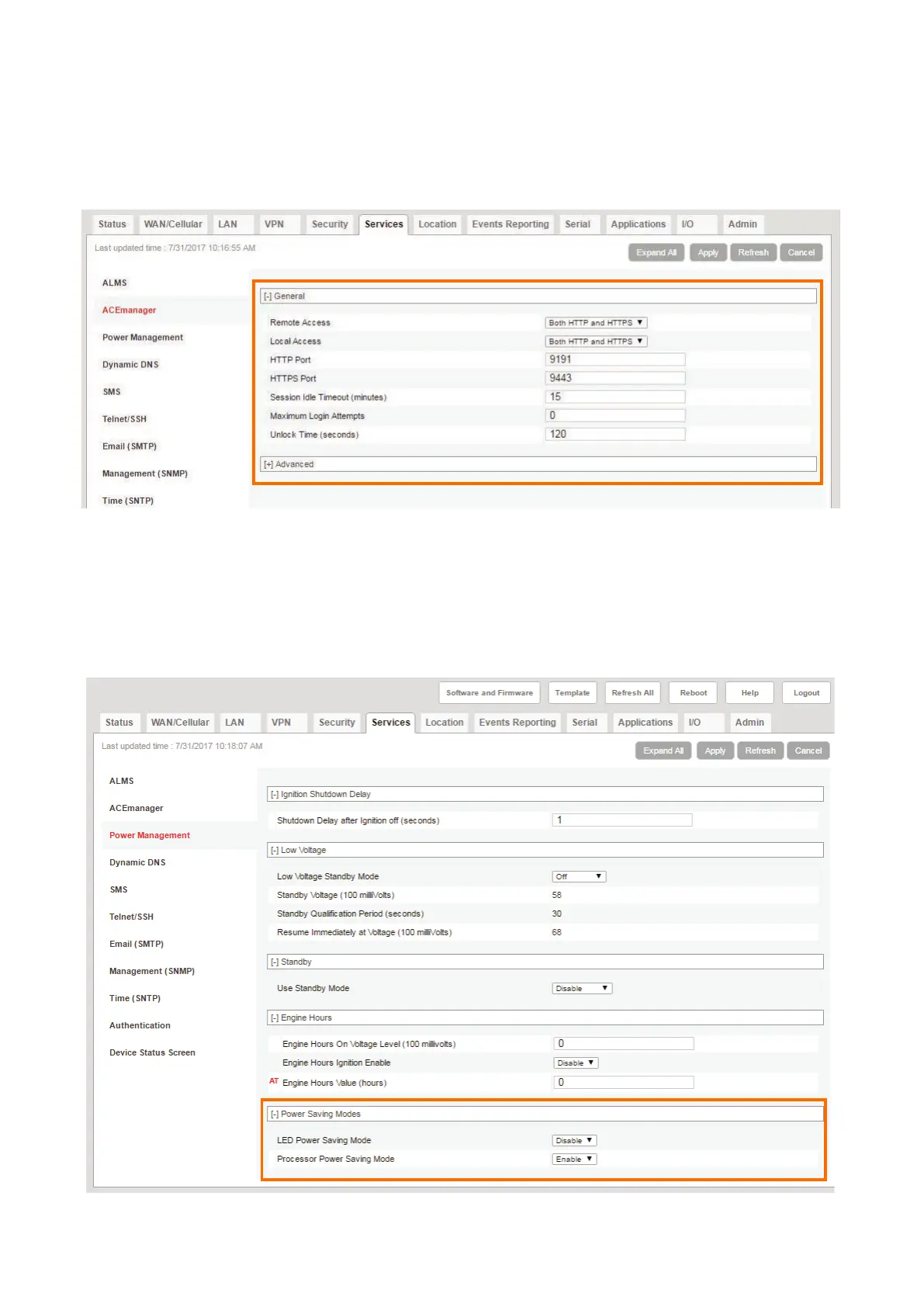
Step 3 Navigate to the Services tab, and in the left pane, select the
ACEmanager section.
Step 4 Edit the values to match what is shown in Figure A-10 and click Apply.
FIGURE A-10 Services - ACEmanager
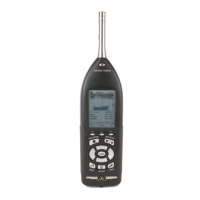
Step 5 In the left pane, click the Power Management section, and select Power
Saving Mode.
Step 6 From the Processor Power Saving Mode drop-down, select Enable and
click Apply.
FIGURE A-11 Services - Power Management


 To Next Page