NMS045 Reference Manual Calibrating the 831C 3-14
Step 4 Navigate Tools Calibrate on the 831C sound level meter.
Alternatively, you can access this page using remote
communication on a mobile device. See "Connecting to
the 831C Remotely" on page 3-12.
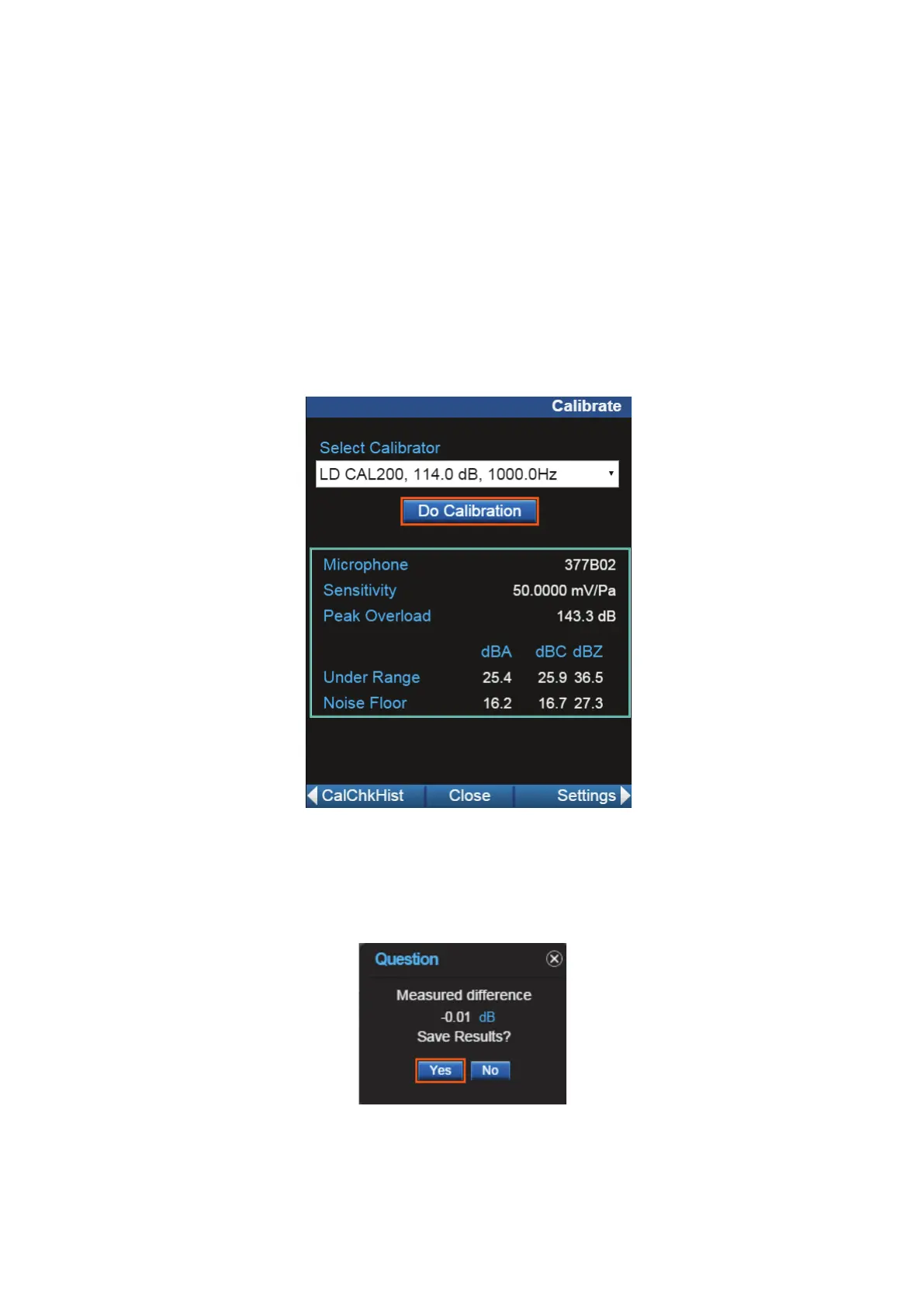
Step 5 Select calibrator from the drop-down list. Click Edit
Settings if calibrator settings need to be modified. Ensure
that the settings correspond to those described in the
manual for the selected calibrator.
Step 6 Turn calibrator on by pressing the button.
Step 7 Select Do Calibration.
FIGURE 3-19 Acoustic Calibration
Step 8 After a few seconds, a message appears indicating the
measured difference and a prompt to save the results.
Click Yes to save the calibration or No to reject it.
FIGURE 3-20 Calibration Results



 To Next Page