NMS045 Reference Manual Configuring LD Settings for the RV50X A-17
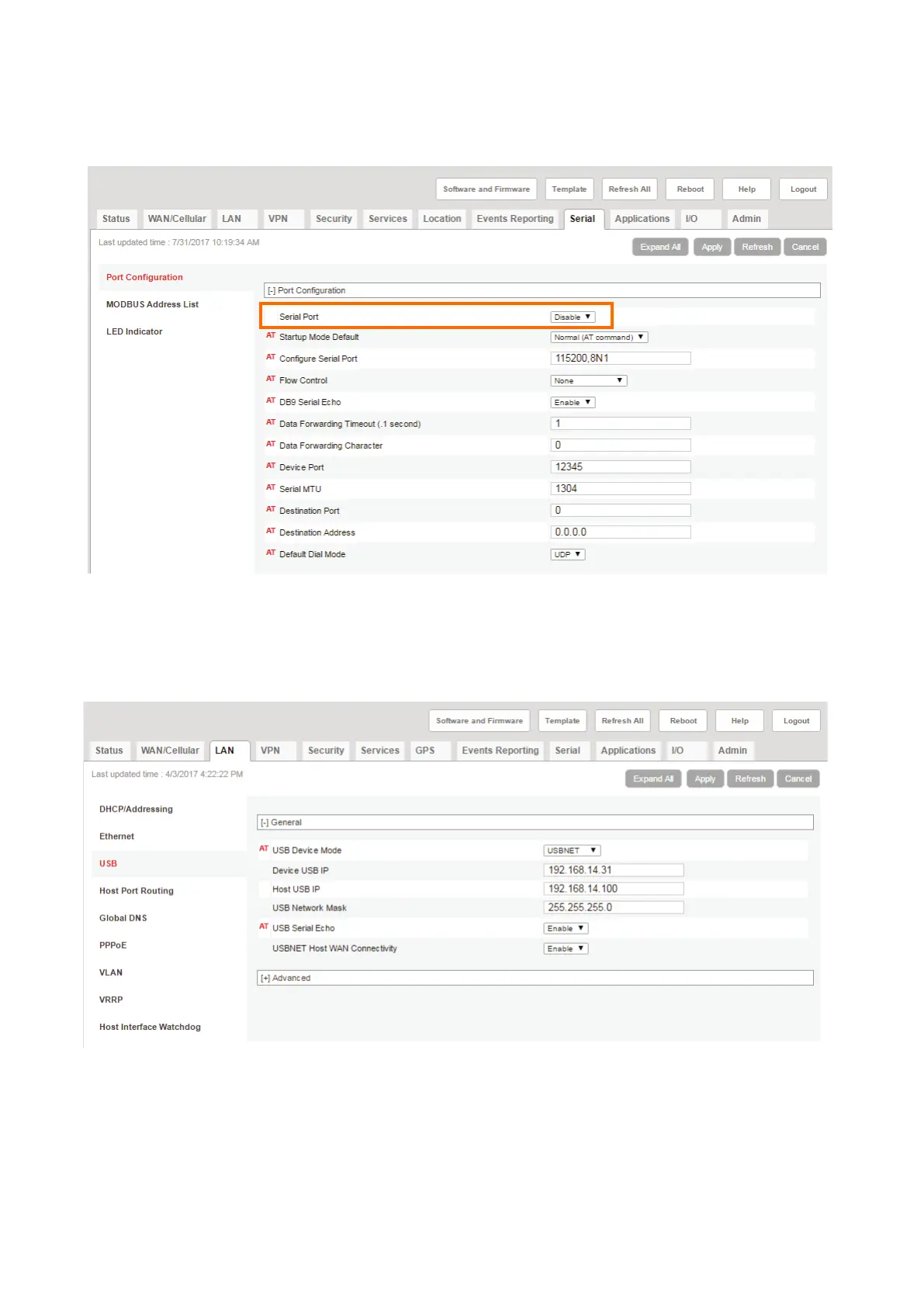
Step 15 Navigate to the Serial tab, select Disable from the Serial Port drop-
down menu, and click Apply.
FIGURE A-16 Serial Port Settings
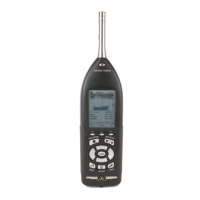
Step 16 Navigate to the LAN tab, and in the left pane, select the USB section.
Step 17 Verify that the settings are as shown in Figure A-17, and click Apply.
FIGURE A-17 USB Port Settings
Step 18 Navigate to the I/O tab, and select the Configuration section in the left
pane.
Step 19 Verify that the settings are as shown in Figure A-18, and click Apply.


 To Next Page