30
LSI 090 - Rev. 00 - Ed. 04/2018
Where “1750 ml” is the correspondence between 1 minute of operation of the au-
tomatic boiler re ll system and the amount of water introduced, given in millilitres.
Pressing the buttons
, increases/decreases the setting (1000 ml – 2000 ml).
Pressing the button
, con rms the setting and returns to the initial display menu.
7.7 CHRONO FUNCTION (optional)
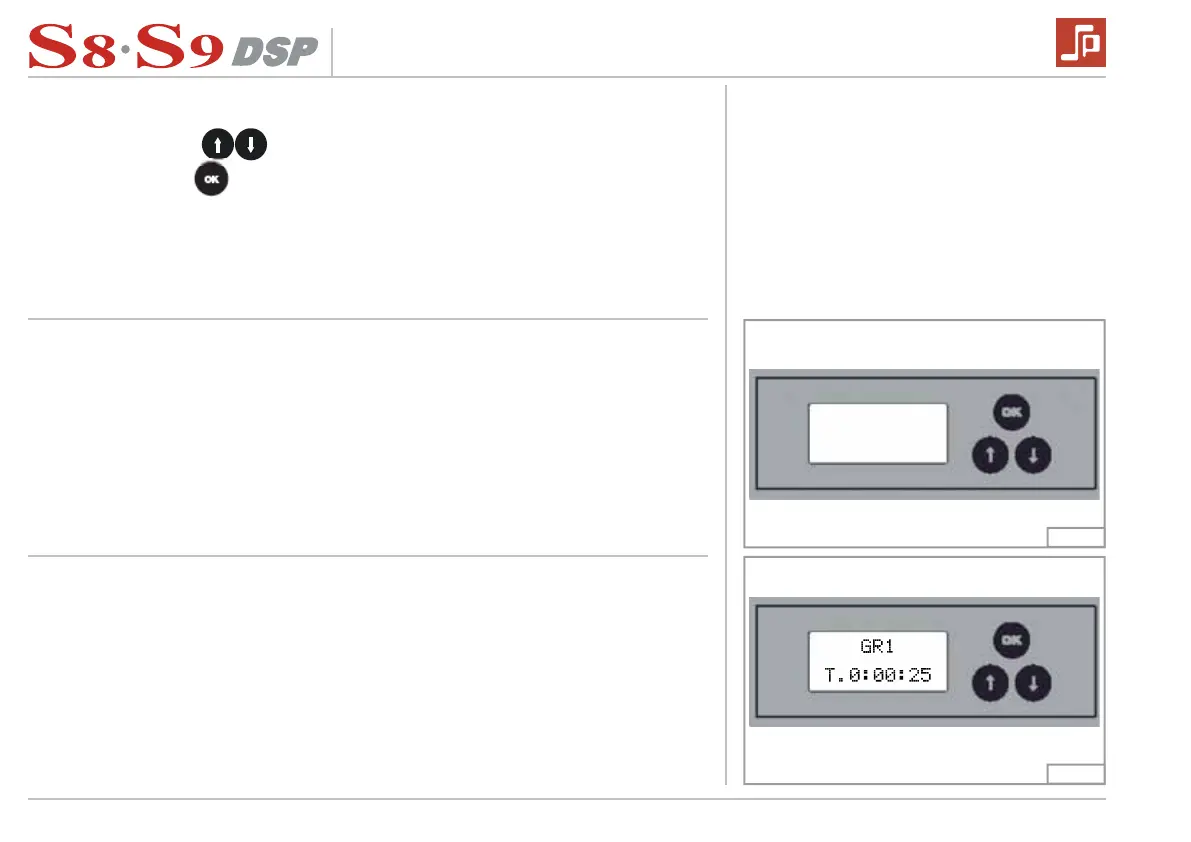
Chrono function allows to visualize on a display the delivery time of each coffee de-
livery group.
When the machine is switched on, the display will rst show the display software
version.
When any button of the 1st, 2nd , 3rd, 4th group is pressed, the display will show the
delivery time of the selected group.
At the end of the delivery, the extraction time stays on the display until the next de-
livery.
Fig. 25
Fig. 26
38
LSI 089 - Rev. 00 - Ed. 04/2015
Where “1750 ml” is the correspondence between 1 minute of operation of the au-
tomatic boiler refill system and the amount of water introduced, given in millilitres.
Pressing the buttons increases/decreases the setting (1000 ml – 2000 ml).
Pressing the button confirms the setting and returns to the initial display menu.
5.15 CHRONO FUNCTION (optional)
Chrono function allows to visualize on a display the delivery time of each coffee de-
livery group.
When the machine is switched on, the display will first show the display software version.
When any button of the 1st, 2nd , 3rd, 4th group is pressed, the display will show the
delivery time of the selected group.
At the end of the delivery, the extraction time stays on the display until the next de-
livery.
Fig. 28
Fig. 29
38
LSI 089 - Rev. 00 - Ed. 04/2015
Where “1750 ml” is the correspondence between 1 minute of operation of the au-
tomatic boiler refill system and the amount of water introduced, given in millilitres.
Pressing the buttons increases/decreases the setting (1000 ml – 2000 ml).
Pressing the button confirms the setting and returns to the initial display menu.
5.15 CHRONO FUNCTION (optional)
Chrono function allows to visualize on a display the delivery time of each coffee de-
livery group.
When the machine is switched on, the display will first show the display software version.
When any button of the 1st, 2nd , 3rd, 4th group is pressed, the display will show the
delivery time of the selected group.
At the end of the delivery, the extraction time stays on the display until the next de-
livery.
Fig. 28
Fig. 29


 To Next Page