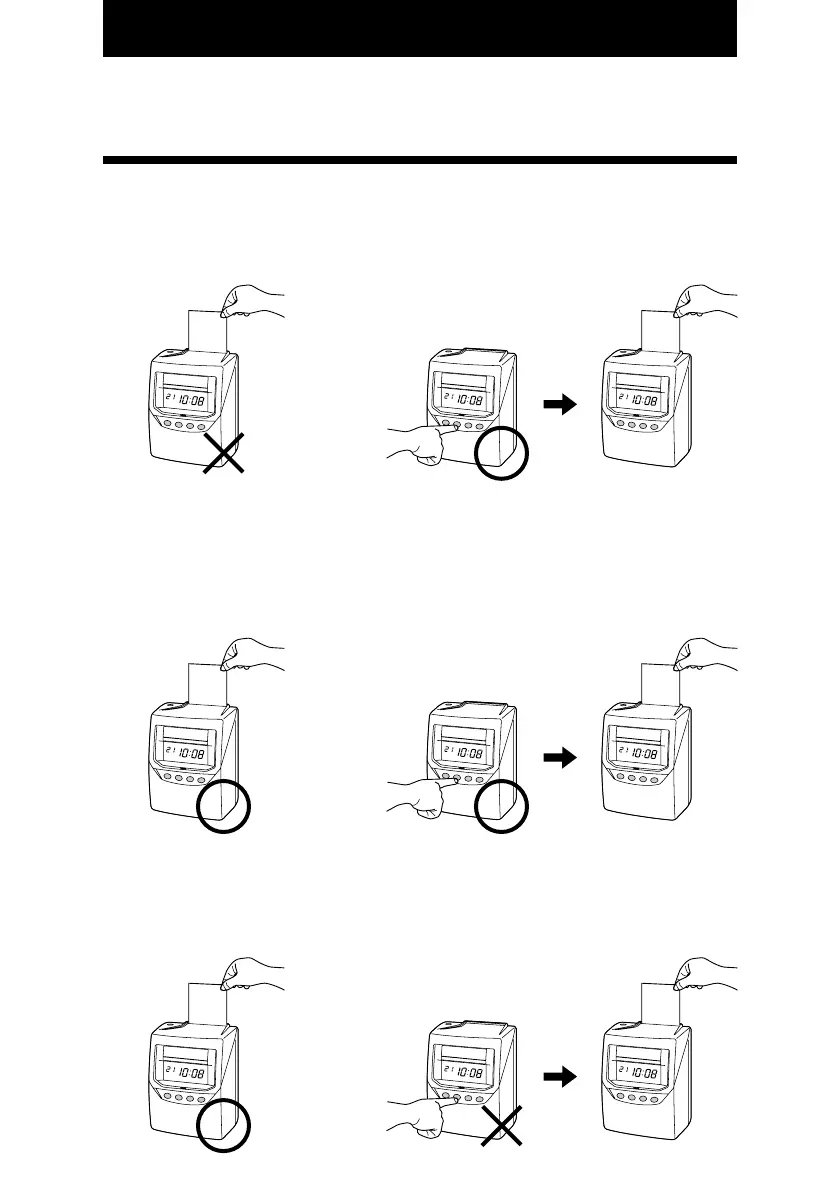
Functions for the buttons
You can select one of three functions for the buttons.
Optional
When the time card is inserted, the recorder will judge the last imprint and automatically
switch the "IN" and "OUT". You may also manually switch the column position of the
imprint by pushing the button.
12
YESYES
Required
You must push the "IN" or "OUT" button immediately prior to inserting the time card. If not,
the card will be ejected and an error sign will appear.
YESNO
Disabled
When the time card is inserted, the recorder will judge the last imprint and automatically
switch the "IN" and "OUT". The buttons are disabled for normal operation.
YES NO
9



 To Next Page