3
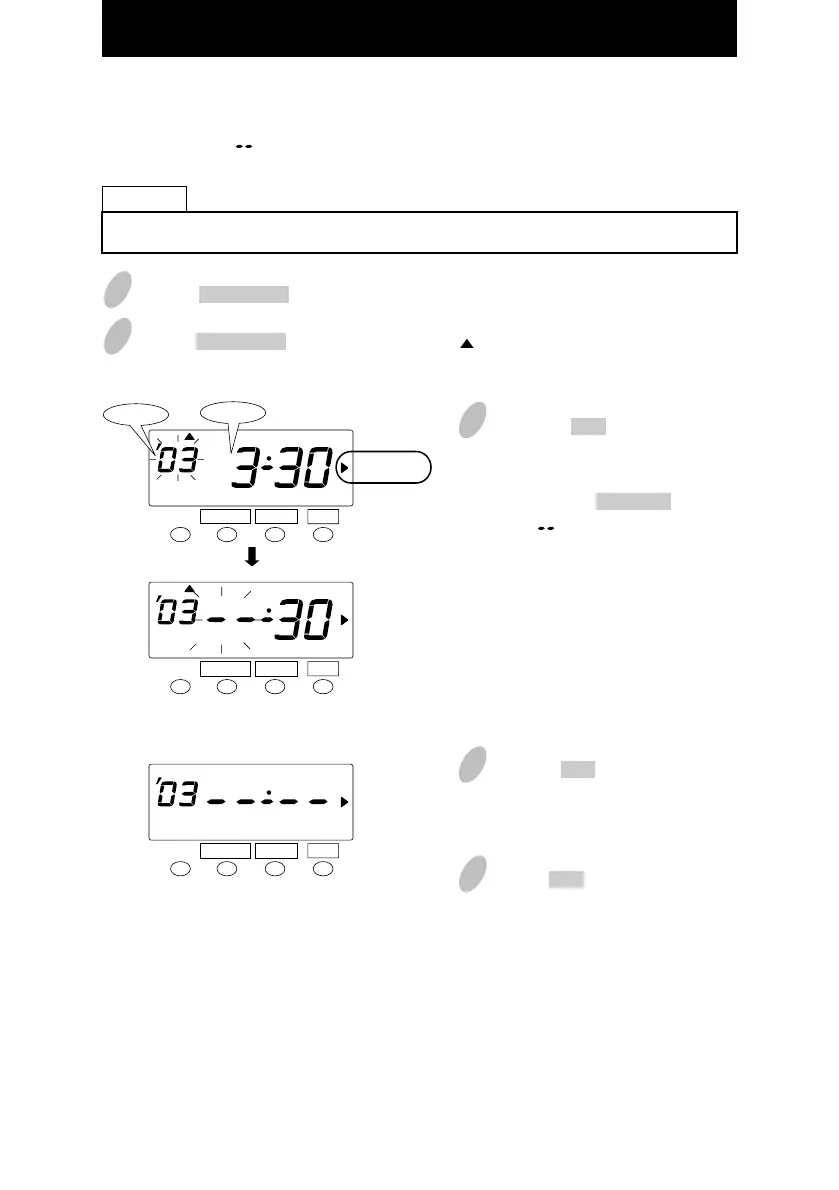
Push the SET button and the
flashing changes from "Year" to
"Month".
Next, push the CHANGE button to
set at " ".
4
Push the SET button twice. This
cancels the daylight saving time
settings.
SET
FUNCTION CHANGE
Month
Year
SET
FUNCTION CHANGE
SU
SET
FUNCTION CHANGE
SU
Deleting the daylight saving time settings
To delete and cancel the daylight saving time settings,change the display of "Month" of the
starting setting to " ".
1
Push the FUNCTION button for 3 seconds.
2
Push the FUNCTION button and position the " " next to the "DAYLIGHT SAVINGS"
mark.
To change March 30, 2003 of "starting date" and delete daylight saving time settings.
Example
DAYLIGHT
SAVINGS
DAYLIGHT
SAVINGS
DAYLIGHT
SAVINGS
36
5
Push the SET button once again.
33



 To Next Page