Setting the Max In
31
Refer to "WHAT YOU CAN DO WITH THE 7000E" before setting.
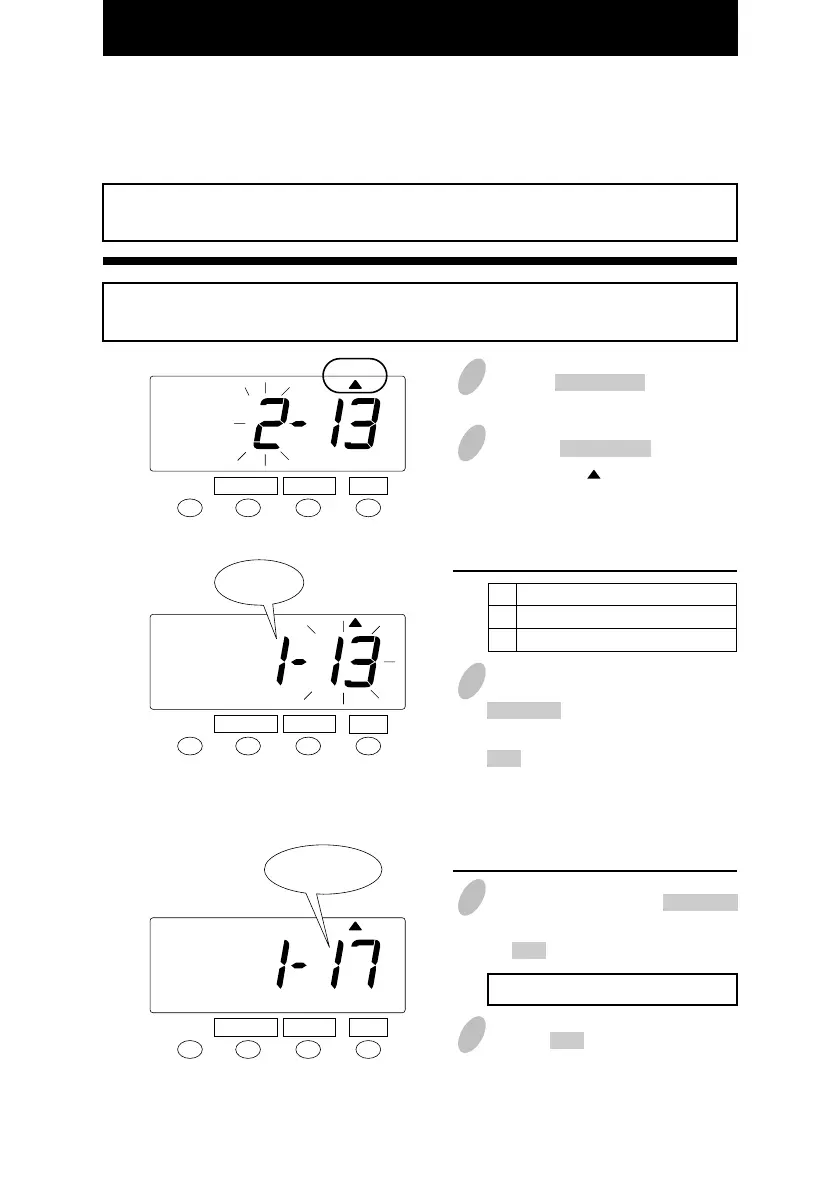
You can set the "Max In Value" and "Max In Override".
If error " E-49 " appears when you try to change settings, then you must reset all cards
before proceeding. ( See "All cards reset" )
Example
Max In Override ----- No Max In Value ----- 17 hours
3 In the case of the example, push the
CHANGE button to set the left-side
number at "1" and then push the
SET button. At that moment, the
flashing of the display will change
to the right-side number.
1 Push the FUNCTION button for 3
seconds.
2 Push the FUNCTION button and
position the " " under the "MAX
IN" mark.
Order Option
No
Yes
1
2
Set the "Max In Override".
SET
FUNCTION CHANGE
4 In this case, push the CHANGE
button to set at "17". And then push
the SET button.
Range of value: 1 - 24 hours
5 Push the SET button once again.
MAX IN
SET
FUNCTION CHANGE
MAX IN
SET
FUNCTION CHANGE
MAX IN
Set the "Max In Value".
Max in Value
(Hour)
Max in
override
28



 To Next Page