10
Filling the phx42 with Hydrogen
Gases are typically stored under pressure in metal cylinders. Cylinders are designed to withstand high
pressures. Improper handling and use of compressed gases can result in devastating consequences. Be
sure to follow all safety guidelines outlined by your facility.
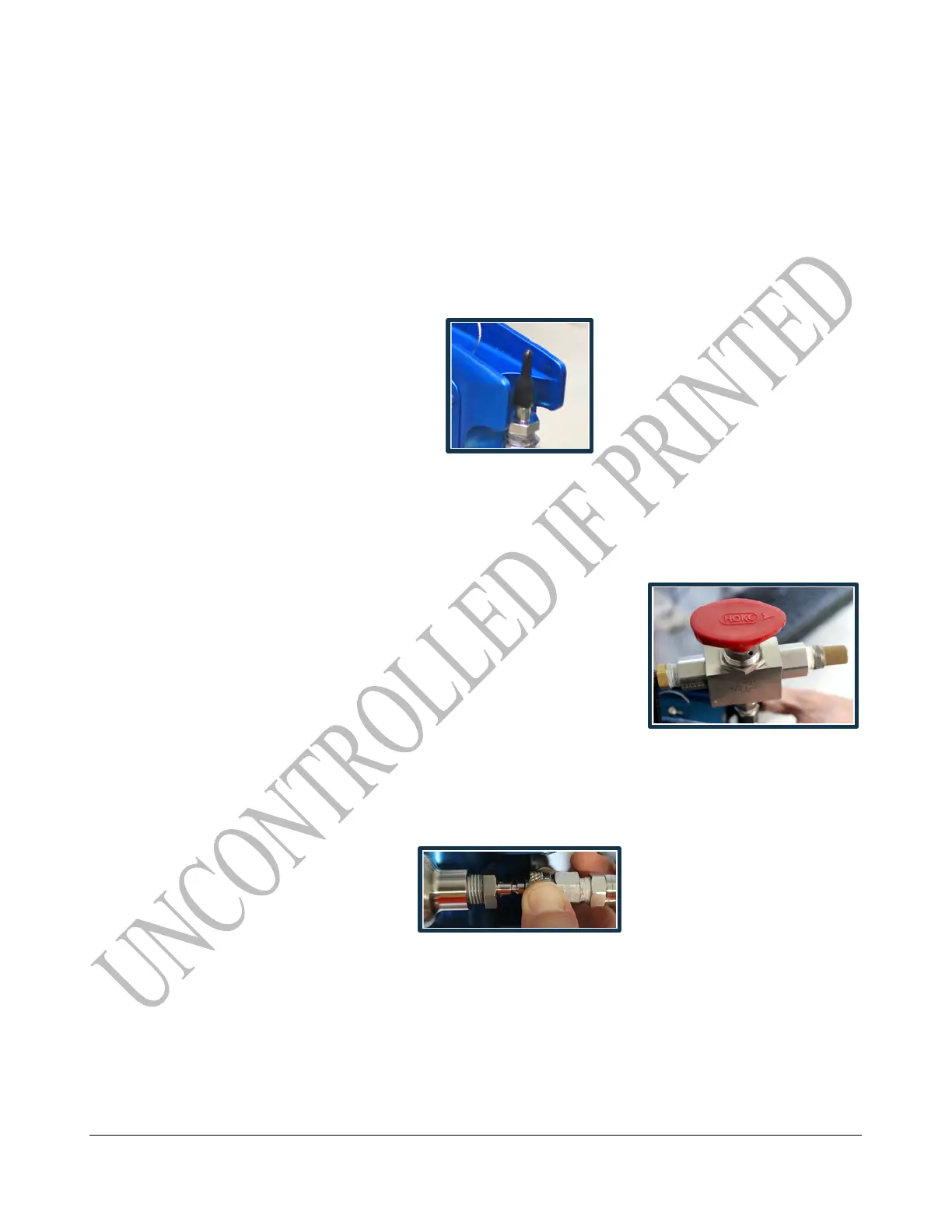
1. Remove the H2 quick-fill cover (LDAR#42908).
2. Make sure of the following:
(a) The hydrogen cylinder being used to fill the phx42 has a regulator in place.
(b) Turn the regulator to counter-clockwise if pressure has been bled.
(c) Verify that there is no dust or debris in the Hydrogen (H
2
) fill port.
(d) Verify that there is no dust or debris in the Hydrogen (H
2
) fill adapter.
(e) Verify the arrow on red handle is pointing to the
breather side of the fill valve.
(f) Gauge nearest the cylinder is reading ~1800 psi. If
not, adjust regulator.
(g) If pressure has bled off the fill adapter, turn the red
handle 180 degrees for 2 seconds to bleed any air
from the system before connecting to the phx42.
3. Power on the phx42. Sleep mode, connected, disconnected, or ignited are all ok. In some
cases, a flameout will occur. This is normal.
4. Connect the H
2
fill adapter to the H
2
fill port, then verify the connection by slightly
pulling on the 3-way valve.
5. Confirm that the H
2
fill adapter is firmly seated on the H
2
fill port.
6. Turn the red handle 180° to open valve. Arrow should point to the fill hose.
7. Wait for 10 seconds after the needle on the gauge stops moving.
8. Turn the handle back 180° to close valve.
There will be a slight hiss from the release of pressure.
9. Pull on the collar of the H
2
fill adapter to release it.
10. Twist the H
2
quick-fill cover onto the H
2
fill port.
11. Close bottle. There is no need to bleed pressure off the H
2
fill Adapter.



 To Next Page