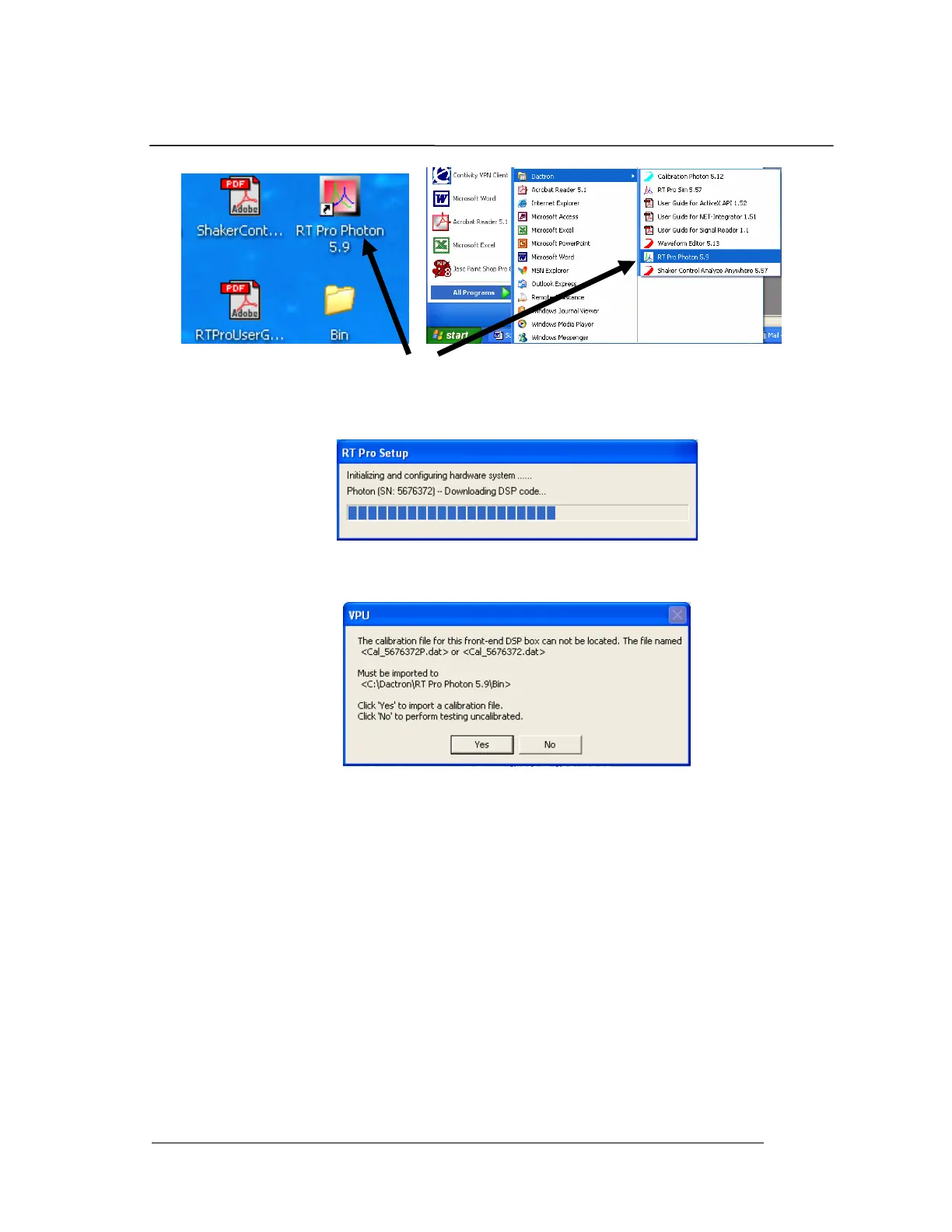
System Installation
PHOTON
+
System Guide 16
2. The next screen that appears is the hardware initialization
screen, which shows the progress of the system firmware
download into the PHOTON
+
’s Digital Signal Processor.
3. Once the DSP code downloading is finished, the calibration
file import prompt will appear.
4. Insert the Calibration CD that came with your PHOTON
+
system into the PC. This CD contains the calibration file that
was generated for your PHOTON
+
prior to shipment. You
must load this file in order to have a calibrated and accurate
PHOTON
+
. After placing the calibration diskette in your CD
drive, select “Yes” to import the calibration file.
5. Your
PHOTON
+
system is now calibrated. You will next see
the RT Pro Photon Start-up Page


 To Next Page