Calibration
PHOTON
+
System Guide 24
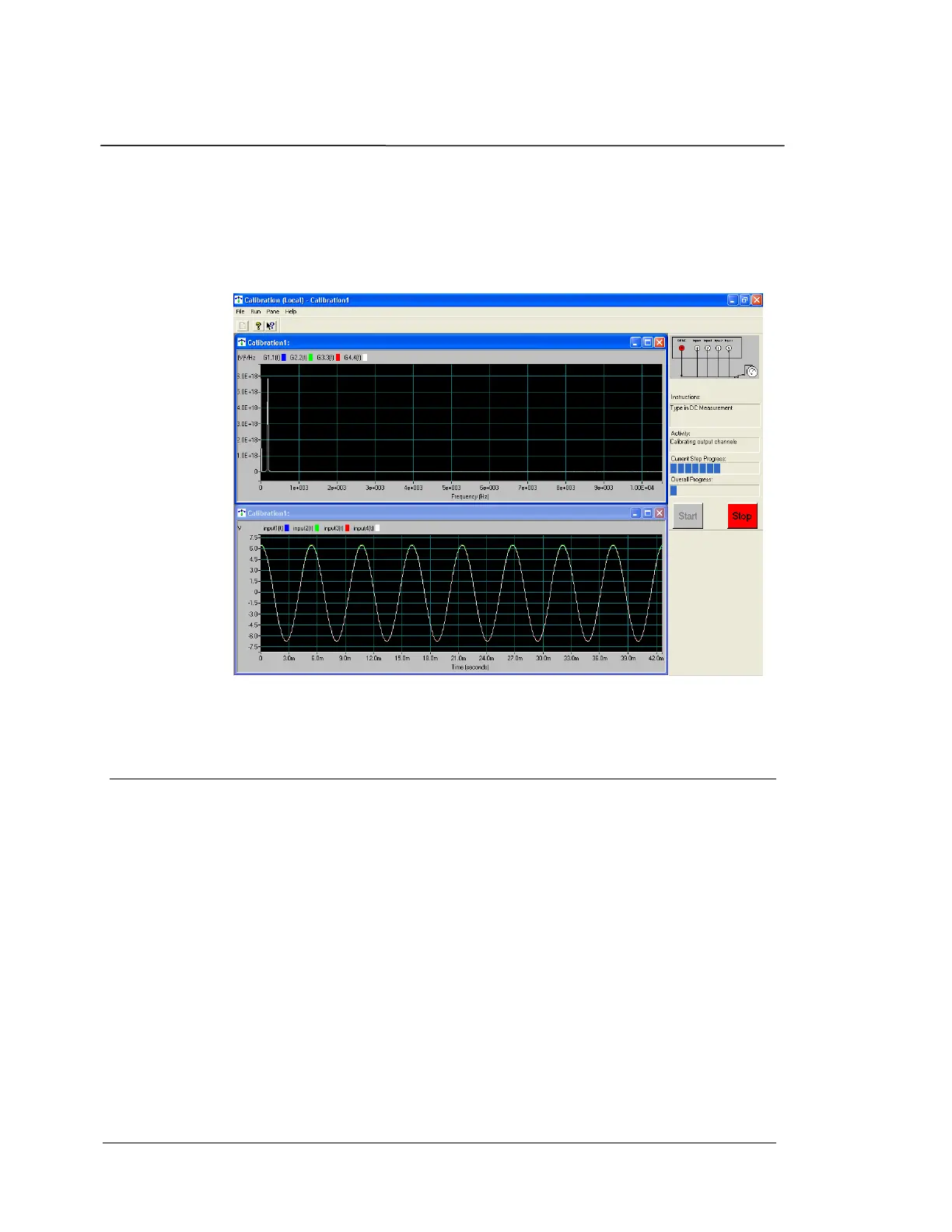
Two Panes display the time capture trace and the power spectrum for
each channel. This display allows you to simultaneously view the time
domain and frequency domain signals captured by the input channels.
This provides a visual comparison of channel levels and is helpful in
diagnosing problems if the calibration fails.
Calibration Two Pane Display Screen
Calibration Tools
To calibrate the PHOTON
+
with LDS-Dactron provided calibration
software, you need following items:
(1) 5 BNC cables and a BNC adapter cable for the voltmeter.
(2) BNC T Connectors to link all BNC connectors together at
one end.
(3) Attenuator Module for Low-voltage Range Calibration.
(4) A voltmeter with valid calibration certification. The
voltmeter should be able to measure DC and True RMS to an
accuracy of 0.25%. The AC bandwidth for the voltmeter
should be higher than 10 kHz.
The voltmeter accuracy should be 0.25% or better in order to
ensure that the LDS-Dactron system is calibrated to an accuracy
of ±1% (about ±0.1dB). Generally, the calibration meter’s


 To Next Page