A
A
C
C
S
S
8
8
0
0
6
6
D
D
i
i
g
g
i
i
t
t
a
a
l
l
A
A
C
C
S
S
e
e
r
r
v
v
o
o
d
d
r
r
i
i
v
v
e
e
M
M
a
a
n
n
u
u
a
a
l
l
R
R
e
e
v
v
1
1
.
.
0
0
Tel: (86)755-26434369 46 Website: www.leadshine.com
CurveSetting tab
In Tuning->PositionLoop->CurveSetting tab, the user can choose curves displayed
in digital scope of Position Loop Tuning window and DigitalMonitor window, and
set their Trace Time. These curves includes Current Following Error (i_err),
Velocity Following Error (v_err), Position Following Error (p_err), Current
Feedback (i_bak), Velocity Feedback (v_bak), Position Feedback (p_bak), Current
Command (i_ref), Velocity Command (v_ref), Position Command (p_ref).
i_err: Current Following Error. The difference between commanded current and
the actual measured current.
v_err: Velocity Following Error. The difference between commanded velocity and
the actual measured velocity.
p_err: Position Following Error. The difference between commanded position and
the actual measured position.
i_bak: Current Feedback. This is the actual measured current in motor coil. Ideally,
this value should be as close as possible to the commanded current.
v_bak: Velocity Feedback. This is the actual measured velocity measured by the
encoder. Ideally, this value should be as close as possible to the commanded velocity.
p_bak: Position Feedback. This is the actual measured position measured by the
encoder. Ideally, this value should be as close as possible to the commanded position.
i_ref: Current Command. This is the commanded current.
v_ref: Velocity Command. This is the commanded velocity.
p_ref: Position Command. This is the commanded position.
Trace Time: Trace Time. This is the trace time of the digital scope.
A
A
C
C
S
S
8
8
0
0
6
6
D
D
i
i
g
g
i
i
t
t
a
a
l
l
A
A
C
C
S
S
e
e
r
r
v
v
o
o
d
d
r
r
i
i
v
v
e
e
M
M
a
a
n
n
u
u
a
a
l
l
R
R
e
e
v
v
1
1
.
.
0
0
Tel: (86)755-26434369 47 Website: www.leadshine.com
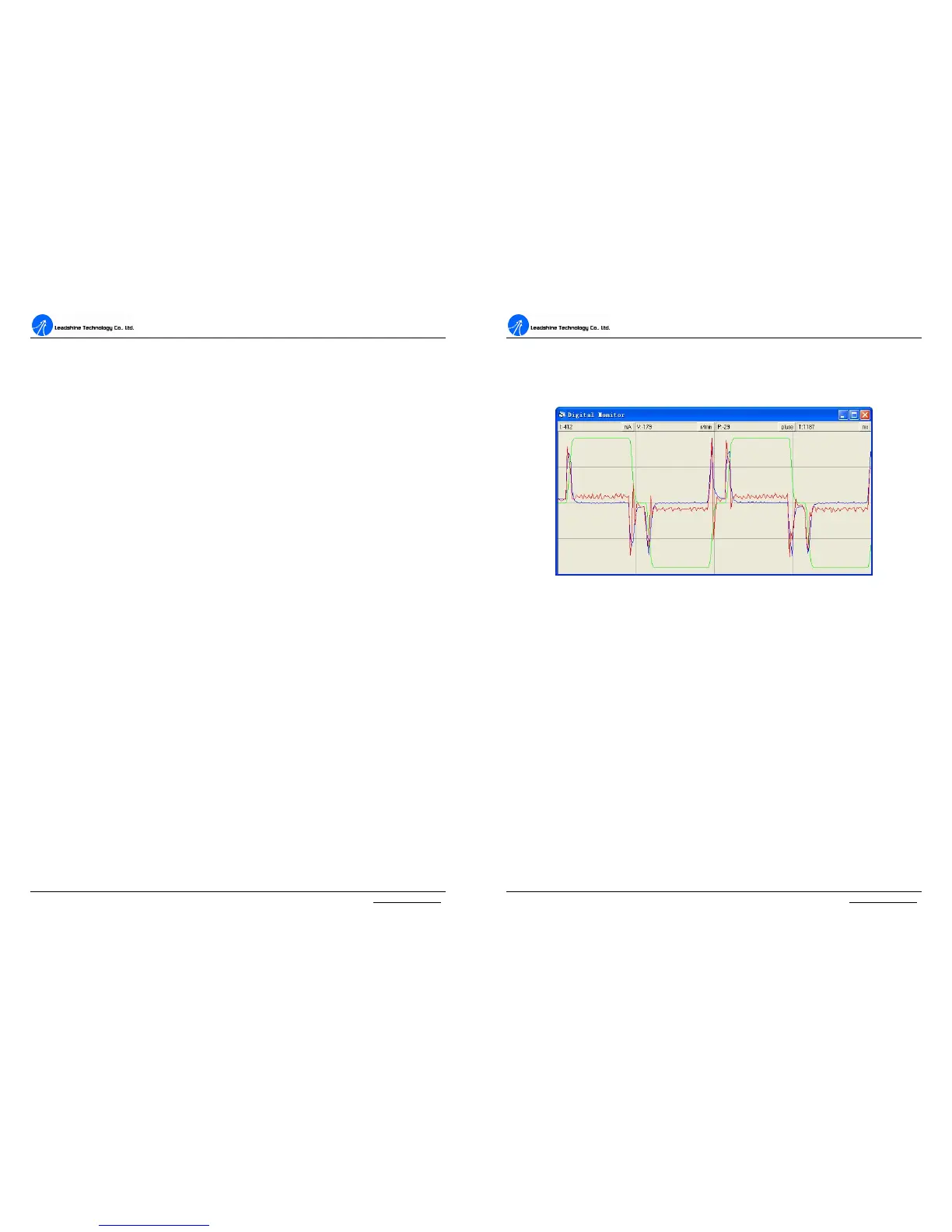
Digital Scope Window
Digital monitor can display curves and dynamic values of different point of different
curves. Click DigitalMonitor in the main menu will open this window.
Figure 48: Digital scope window
I: Current. Displays dynamic values for Current related curve(s). Dynamic value will
change with mouse focus changes. Its unit is mA.
V: Velocity. Displays dynamic values for Velocity related curve(s). Dynamic value
will change with mouse focus changes. Its unit is r/min.
P: Position. Displays dynamic values for Position related curve(s). Dynamic value
will change with mouse focus changes. Its unit is pulse (count).
T: Time. Displays dynamic values for Time. Dynamic value will change with mouse
focus changes. Its unit is ms.
Error Check Window
Click Err_check in the main menu will open this window. This window shows both
the present status of each error event and their history. Current error event(s) can be
reset by clicking Erase Current Err! button, and all error events can be reset by


 To Next Page