Installing the unit (cont'd)
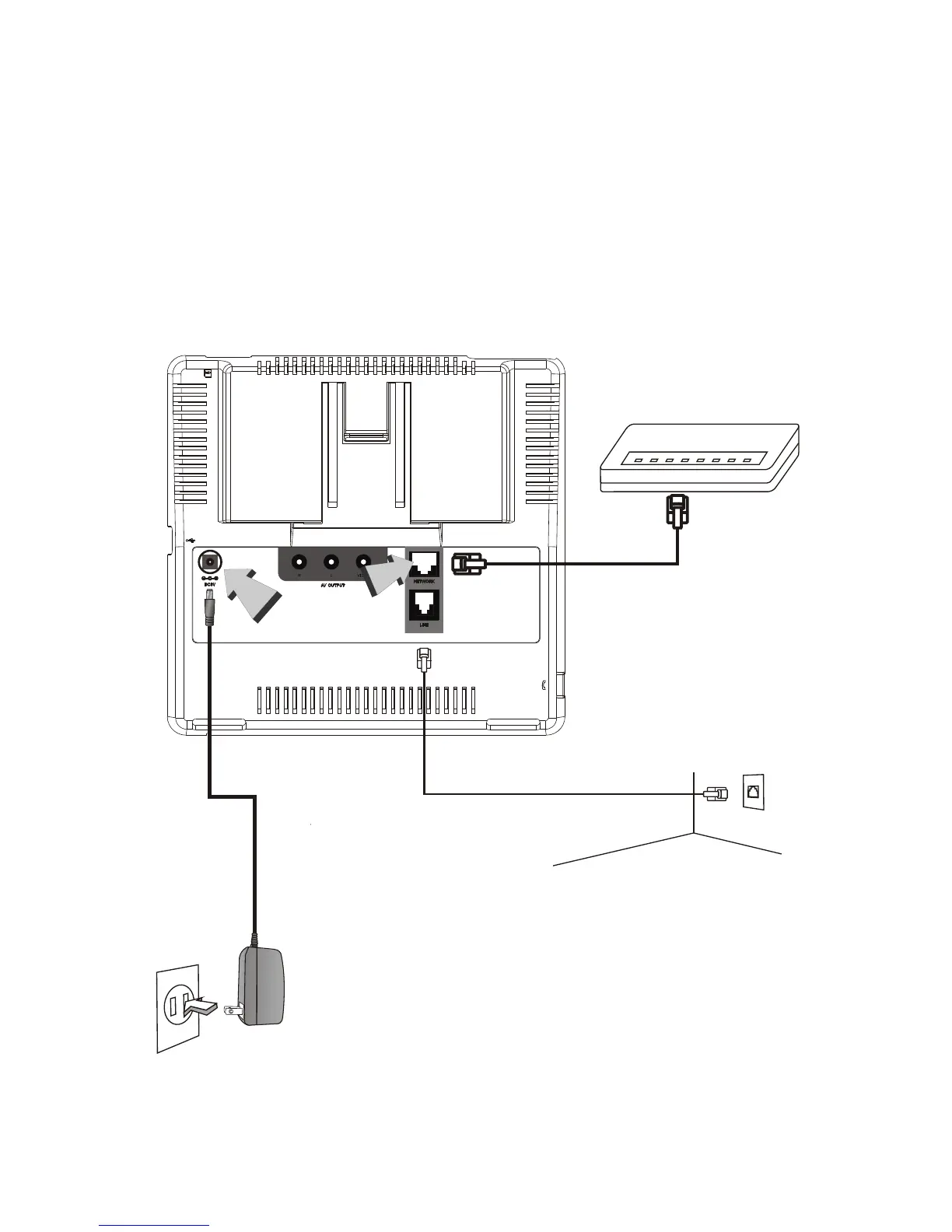
Step 4 Plug in for power
Plug the power adapter into the
wall outlet. Plug the free end of
the power adapter into the power
connector (DC IN) on XTP8886.
Connect
the power
adapter.
Step 3 Connect the Ethernet cable
Plug one end of the Ethernet cable in the port marked with
"NETWORK" on the back of XTP8886. Plug the other end of the
Ethernet cable in the RJ-45 jack of the Ethernet device (hub,
router, or ATU-R).
Connect the
Ethernet cable
to the Internet
device.
For the models with
PSTN connectivity,
you must also connect
a telephone line to the
telephone jack.
XTP8886 User's Manual 13



 To Next Page