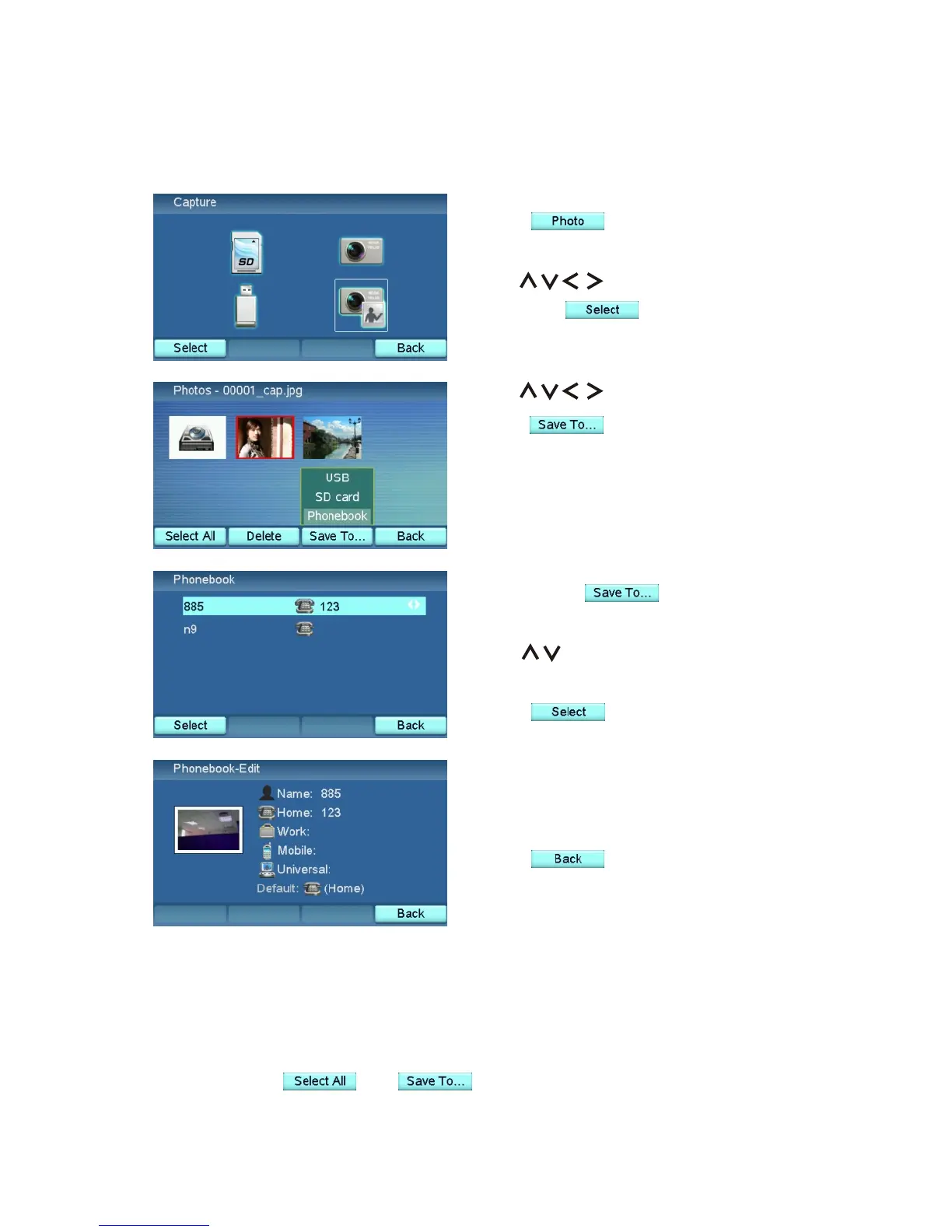
If you press and choose
"Phonebook":
Use to choose the contact for
the picture.
Press .
Use to browse the pictures.
Press and choose "SD card"
or "USB" to copy the picture to the
SD card or the USB device. Choose
"Phonebook" to use this picture as the
image of a contact in the Phonebook.
Press to enter the Photo
Browser.
Use to select "Capture"
and press to enter the
browser window.
Now the contact will use the picture
as his image.
Press to return to the Photo
Browser.
Browse the Pictures in System Memory
Note:
1. The pictures stored in the internal memory of the XTP8886 can be
copied to the SD card or the USB device. However, you can not copy the
pictures in the SD card or the USB device to the internal memory of
XTP8886.
2. If you press and , the "Phonebook" option will not be
available.
XTP8886 User's Manual 53



 To Next Page