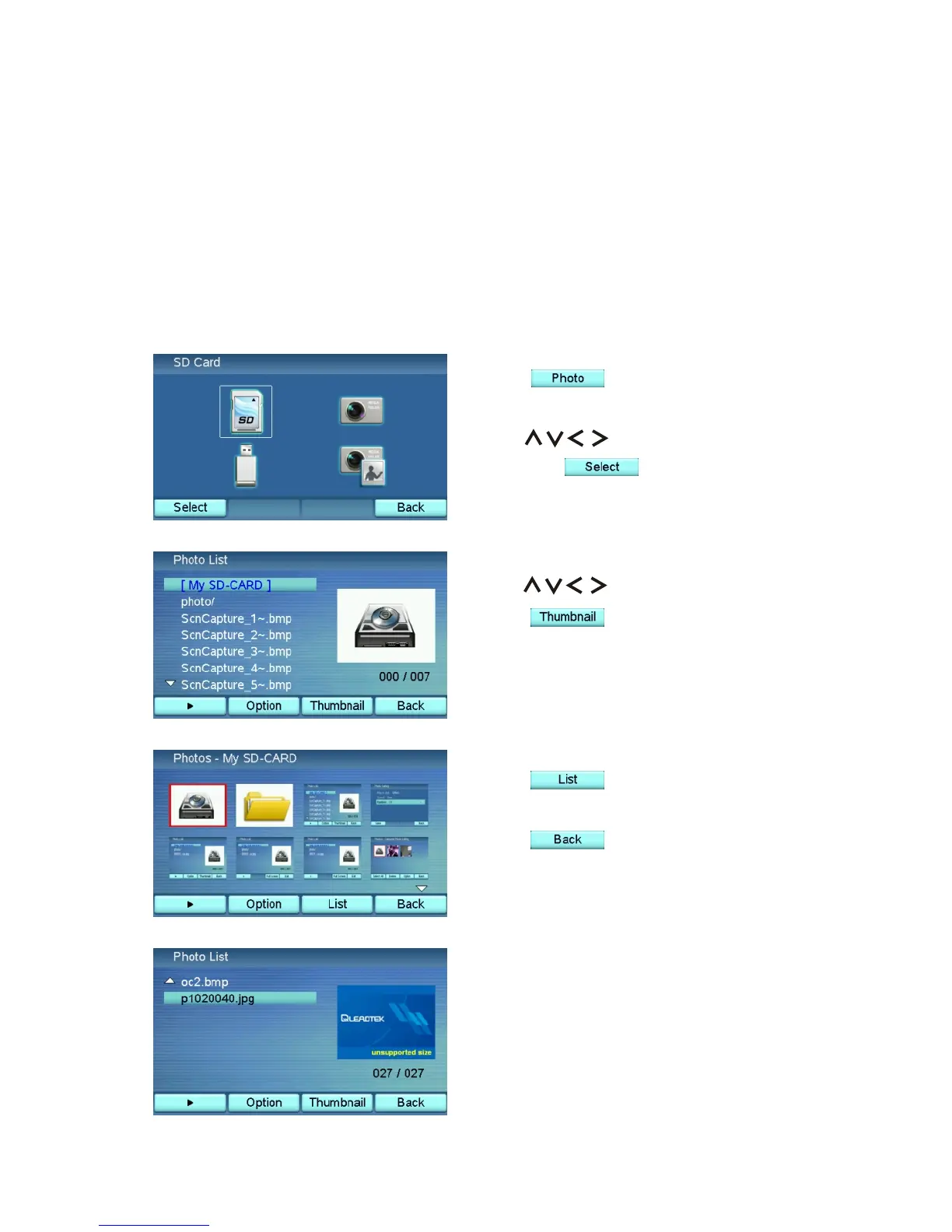
Press to switch back to
Photo List mode.
Press to close the browser
window.
Press to enter the Photo
Browser.
Use to select "SD Card"
and press to enter the
browser window.
The Photo menu is the place where you browse and capture pictures. The
system memory is capable of storing 100 pictures and the capacity of the
external memory depends on the size of the SD memory card and the USB
device.
Browse the Pictures in the SD Memory Card
Use to browse the pictures.
Press to switch to thumbnail
mode.
8 Photo Frame
XTP8886 User's Manual 51
If the picture to be displayed is larger
than 640 x 480 pixels, it will not
show up, and a message "unsupported
size" will appear.



 To Next Page