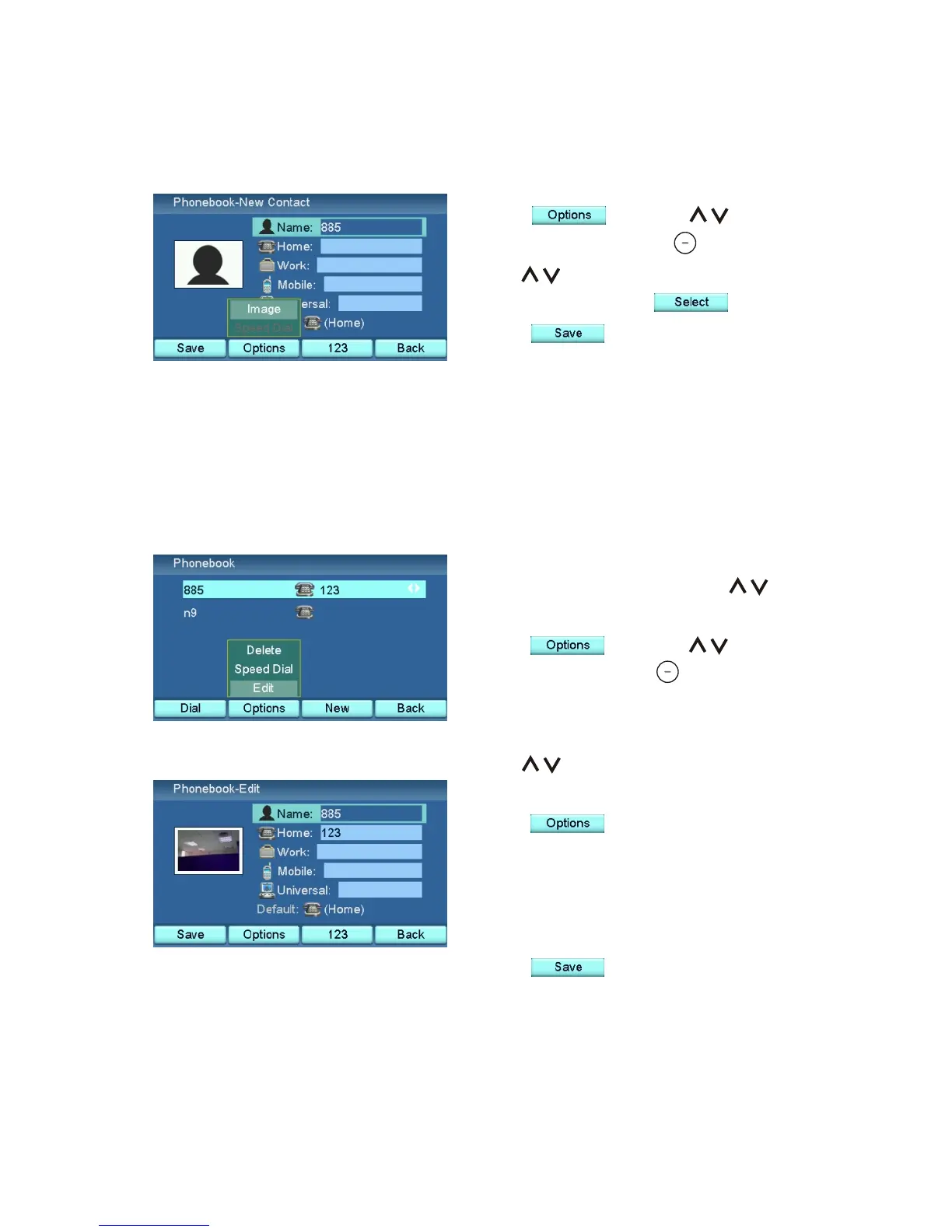
Press , and use to
choose "Image". Press .
Use to choose a picture stored
in the unit and press .
Press to save the contact.
Choose an image for the new contact
Use to select the field and
change the contents.
Press to choose an image
from the Capture menu for this
contact if you want to change it. See
the "Photo Frame" chapter for more
detail.
Press to update the contact.
Edit a Contact
In the Phone book menu, use to
choose the contact you want to edit.
Press , and use to
choose "Edit". Press .
30



 To Next Page