USER’S MANUAL
OBDII Auto Scanner
19
con.
Al l Datastream
Fuel system 1 status N/A
Fuel system 2 status N/A
Calculated LOAD value 2.0%
Engine coolant temperature -35 C
Short term fuel trim - bank 4 -36.1%
con.
Sel ect Datastream
[ ]
Fuel system 1 status
[ ]
Fuel system 2 status
[ ]
Calculated LOAD value
[ ]
Engine coolant temperature
[ ]
Short term fuel trim - bank 4
1/8
1/1
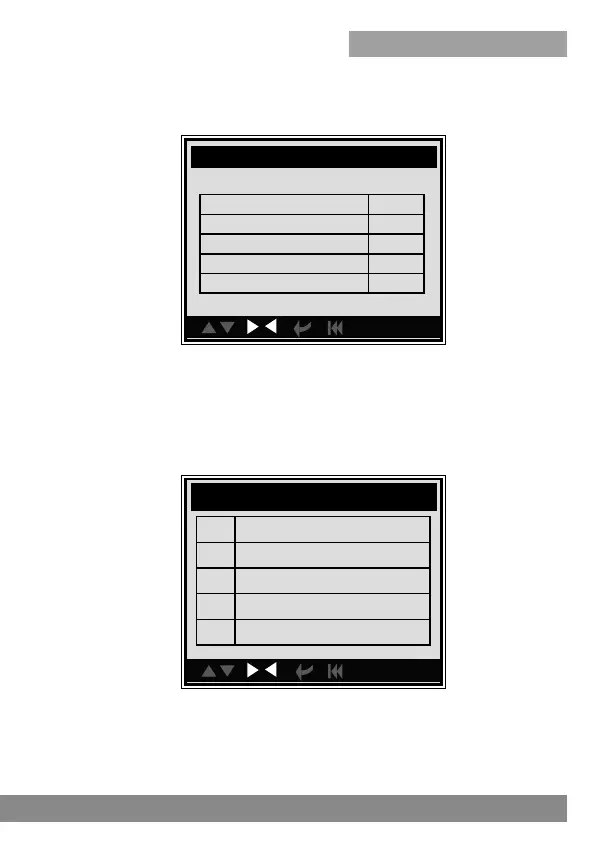
Select [View All Items] and press [ENTER] button, the screen will display
the interface as shown below:
You can use [LEFT] [RIGHT] button to view other data streams. Press
[ENTER] to return to Diagnostic Menu.
Select [select Items] in Data stream menu and press [ENTER], the screen
will display the interface as shown below:
You can use [UP] [DOWN] button to select data stream items, and press
[LEFT ] [RIGHT] button to turn page, the screen will display the interface
as shown on the next page:



 To Next Page