Test Mode
New Settings
Current Settings
Test Mode
Load Toggle
Recall Profile
HBP-111 Configuration
Press
Choose
Test Mode shortens
the time delay to allow
quick verification of HBP
coverage for motion
detection. Test Mode
disables automatically
after 10 minutes.
Enable/Disable
HBP-111 Test Mode
ENABLEENABLE DISABLE
ess the Left/Right
Arrow to Enable or
Disable Test Mode
Press
Select
Test Mode has been
enabled.
Point and
Press Select
Point to desired
Occupancy Sensor
Press ‘Select’
Load Toggle
Press
New Settings
Current Settings
Test Mode
Recall Profile
HBP-111 Configuration
L oad Toggle
Recall Profile
New Settings
Current Settings
Test Mode
L oad Toggle
R ecall Profile
HBP-111 Configuration
Press
Choose
Recall Profiles allow the
user to select the saved
parameter profiles. This
feature is used when
programming multiple
HBP-111’s with the same
parameters.
Profile 1
Profile 2
Profile 3
Profile 4
Profile 5
Profile 6
Cancel
Recall HBP-111 Parms
Press
Select
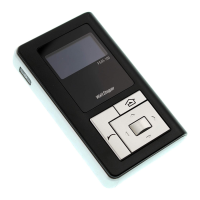
Press the
Up/Down Arrow
to Choose a
High Mode:
Low Mode:
Time Delay:
Cut Off:
Sensitivity:
Setpoint:
NEXT SEND
FSP-211 Settings
Used to turn the load
ON and OFF from the
FSIR-100.
When occupancy mode
is disabled, the light
will remain ON or OFF
depending on the last
state.
Options: ON, OFF
Default: ON
TROUBLESHOOTING
Problem: Display does not come on when I press the Power
On Button.
• Make sure the batteries are installed correctly.
• Make sure batteries are good.
Problem: No Response Screen appears:
No response
from device
Press ‘Select’
• Make sure that the device is not obstructed and try
again.
• Move closer to the device.
• The angle may be too high, move closer so that you are
directly underneath the sensor.
• If still not successful, there may be too much IR
interference from other sources. Programming the unit
at night when there is no daylight available may be the
only way to communicate with the sensor.
• Make sure you are using the FSIR-100 and not the
LMCT-100.
• Make sure the device is within range.
• Make sure the device you are pointing at is powered.
For other issues not related to communication, consult the
appropriate installation instructions or contact Technical
Support at 800.879.8585.
Call 800-879-8585 for Technical Support


 To Next Page
 Loading...