Recall Profiles
Recall Profiles allow
the user to select
the saved parameter
profiles. This feature
is used when
programming multiple
FSP-211’s with the
same parameters.
Selecting a specific
profile allow the user
to also change the
parameters such
as: High/Low Mode,
Time Delay, Cut Off,
Sensitivity, Setpoint
and Ramp/Fade rates.
Press
New Settings
Current Settings
Test Mode
R ecall Profiles
Sensor Configuration
FSP-211
NEXT
To view more sensor
configuration settings go to
NEXT and press the Select
button.
New Settings
Current Settings
Test Mode
Recall Profiles
Sensor Configuration
FSP-211
Press
Choose
NEXT
Press
Lock Settings
Sensor Configuration
FSP-211
PRIOR
FSP-211 default settings
communicate with the
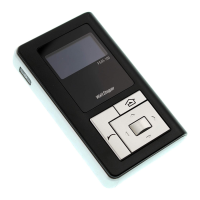
FSIR-100; however, this
security feature limits
communication only for
authorized installers who
have access to main power
supply to the FSP-211
sensor. Press Select to set
Lock Delay or press PRIOR
to go back.
Lock Delay <Disable>
Lock Settings
FSP-211
PRIOR
SEND
Press the Left/Right Arrow
to Disable or set Lock
Delay time
Factory default Lock Delay setting is disabled and FSP-211
parameter can change with any FSIR-100 at anytime. To
enable Lock Delay with time, select lock delay time and press
SEND to set delay time in the FSP-211. Its parameter changes
with the FSIR-100 will be locked after the specified timer
expires from the last message. At the end of the specified time
the FSP-211 will be locked unless there is a power cycle. Any
locked sensor needs power cycling to initiate any configuration
through the FSIR-100. To permanently disable Lock Delay after
power cycling, select Disable and press SEND.
Range: 10 min - 240 min
Increments: 1 min
Profile 1
Profile 2
Profile 3
Profile 4
Profile 5
Profile 6
Cancel
Recall FSP-211 Parms
Press
Select
Press the
Up/Down Arrow
to Choose a
Specific Profile
High Mode:
Low Mode:
Time Delay:
Cut Off:
Sensitivity:
Setpoint:
<10 Volts>
<1 Volts>
<30 Sec>
<1 hour>
<Max>
< Dis>
FSP-211 Settings
FSP-211
SENSOR IS LOCKED
Lock Settings
IR communication locks to prevent unauthorized changes of
FSP-211 parameters.
Lock Delay <10 min>
Lock Settings
FSP-211
PRIOR
SEND
Press
Select
Highlight SEND and
press Select to enable
lock settings.
This screen will appear
if the FSP-211 is locked.
If it is locked, cycle the
power.
Call 800-879-8585 for Technical Support


 To Next Page
 Loading...