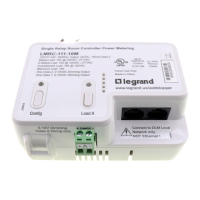
FSP-211
HBP-111
=
BAT
Press
Choose
The Home (or Main) menu
displays after the power-
up process completes. It
contains information on the
battery status and sensor
menu choices. Press
the up or down buttons
to highlight the desired
sensor then press Select.
Home Menu
New Settings
Press
Select
New Settings
Current Settings
Test Mode
Load Toggle
Recall Profile
HBP-111 Configuration
New Settings allow you to
select the different sensor
parameters such as: Time
Delay, Sensitivity, On Set
point and Burn-In Mode.
Time Delay:
Sensitivity:
On Set point:
Burn-In Mode:
Walk-through:
Visual Alert:
NEXT SEND
<15 Mins>
<Max>
< Dis>
< Dis>
< Dis>
< Dis>
HBP-111 Settings
Press the Left/Right Arrow
to Raise or Lower Time Delay
Time Delay
Time Delay:
Sensitivity:
On Set point:
Burn-In Mode:
Walk-through:
Visual Alert:
NEXT SEND
<15 Mins>
<Max>
< Dis>
< Dis>
< Dis>
< Dis>
HBP-111 Settings
Press the Left/Right Arrow
to Increase or Decrease
Sensitivity
The time period that must
elapse after the last time
the sensor detects motion
for the lights (default is 15
min).
Range: 1 min to 30 min
Increments: 1 min
The response of the PIR
detector to motion within
the sensor’s coverage area
(default is max).
Range and Sequence:
Low, Med, Max
On Set point
Time Delay:
Sensitivity:
On Set point:
Burn-In Mode:
Walk-through:
Visual Alert:
NEXT SEND
<15 Mins>
<Max>
< Dis>
< Dis>
< Dis>
< Dis>
HBP-111 Settings
Press the Left/Right Arrow
to Increase or Decrease
The selectable ambient light
level threshold that will hold
the lights off when the sensor
detects motion (default is 300
fc).
Range: Disabled, 1 fc to 300 fc
Increments: 1 fc (press and
hold should cause to move
faster thru the increments)
Default: Disabled
Burn-In Mode
Time Delay:
Sensitivity:
On Set point:
Burn-In Mode:
Walk-through:
Visual Alert:
NEXT SEND
<15 Mins>
<Max>
< Dis>
< Dis>
< Dis>
< Dis>
HBP-111 Settings
Press the Left/Right Arrow
to Enable or Disable
Walk-through Mode
Time Delay:
Sensitivity:
On Set point:
Burn-In Mode:
Walk-through:
Visual Alert:
NEXT SEND
<15 Mins>
<Max>
< Dis>
< Dis>
< Dis>
< Dis>
HBP-111 Settings
Press the Left/Right Arrow
to Enable or Disable
Visual Alert
Time Delay:
Sensitivity:
On Set point:
Burn-In Mode:
Walk-through:
Visual Alert:
NEXT SEND
<15 Mins>
<Max>
< Dis>
< Dis>
< Dis>
< Dis>
HBP-111 Settings
Press the Left/Right Arrow
to Enable or Disable
When burn-in is enabled,
the light load will turn On
for 100 hours and remain on
regardless of occupancy. The
push button on the HBP-111
can be used to toggle the
load and exit burn-in mode.
The FSIR-100 can also be
used to exit burn-in mode.
Default: Disabled
Walk-through mode provides
a 3 min time delay for
applications where occupancy
is brief, such as a copy room,
closet, etc. When enabled,
if no activitity is detected
after the first 30 sec from
initial trigger, the sensor
will turn the load off 3 min
after the initial detection. If
there is activity after the first
30 sec, the sensor will use
the set time delay. Once the
time delay has expired, the
sensor will revert to using the
standard walk-through mode
time delay Default is Off.
The sensor will toggle the load
for 1 sec alerting the occupant
that the set time delay will be
reached within 1 min and turn
the lighting off. This provides
a visual indication so that
the occupant can keep the
lights on by moving within the
coverage area if the space will
still remain occupied. Default
is Off.
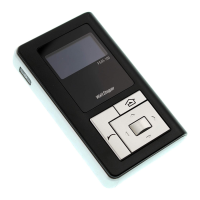
To program the HBP-111 with the selected parameters go
to SEND and press the Select button. The controlled load
should cycle once the sensor is updated.
HBP111 SCREENS
Call 800-879-8585 for Technical Support


 To Next Page
 Loading...