☞
Ensure the grid is physically marked on the ground surface before
beginning a new scan. Refer to the setup tutorial in the Home
screen.
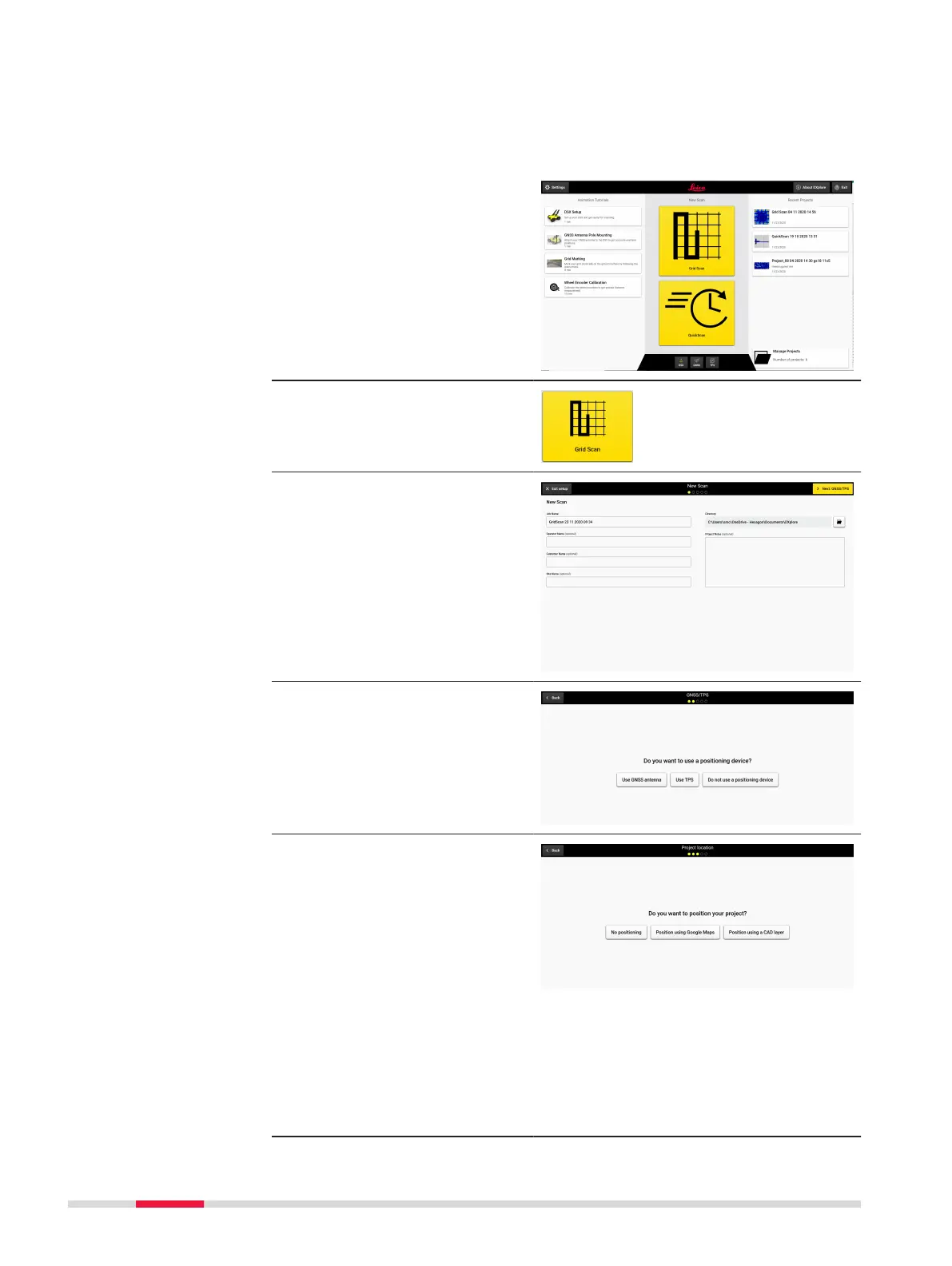
Set up a project, new scan
1. Open DXplore software.
2. Press button Grid Scan
to start a scan.
3. Enter project informa-
tion.
4. Select Do not use a
positioning device.
5. Select Position using
Google Maps or Posi-
tion using a CAD layer
or No positioning.
☞
As an
example,
Position
using Google
Maps is
selected.
Google Maps
requires con-
nection to
the Internet.
50 Procedures for Working with the DSX



 To Next Page