42
9. Accessories
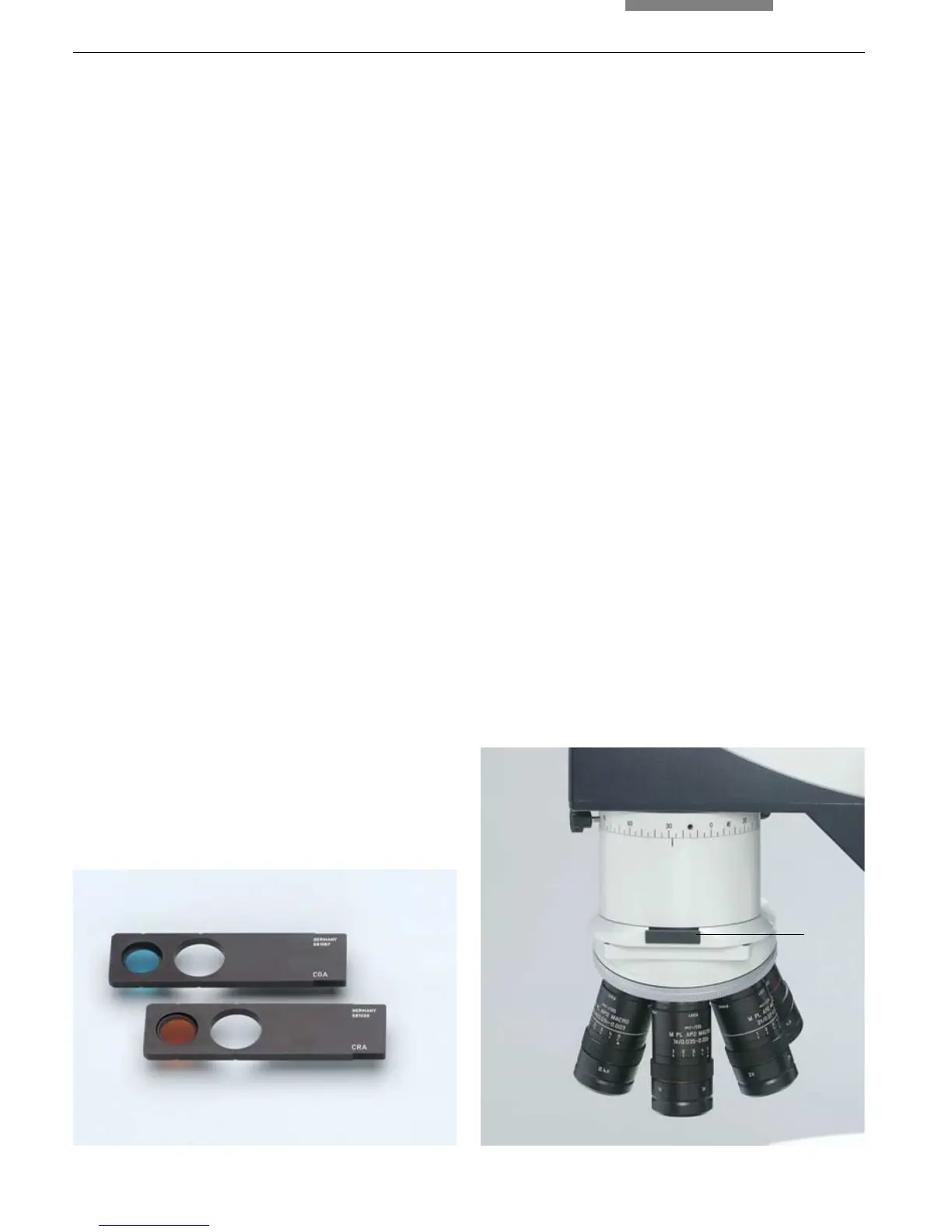
For the differentiation of color deviations of two
objects being compared, the two filters CRA
(red) and CGA (green) in sliders (Fig. 54) are pro-
vided. They are inserted into the filter recepta-
cles in the macroscope holders (55.1) above the
objectives.
For adjusting the superimposed image with col-
or contrast, first set the button on the control
panel to MIX (for composite imaging).
If the objects of comparison overlap in their es-
sential structures, these only appear in their
original color where matching details are
present.
Depending on the assignments of the filters to
the two beam paths, the deviations appear in ei-
ther red or green.
This requires that the intensities of both light
sources are carefully matched.
9.6 Filter for Color Contrast
Fig. 55 Objective turret with objectives
1 Filter receptacle
Fig. 54 Color filter
1


 To Next Page