35
Leica IP S
Instrument Setup 4
Connecting to mains
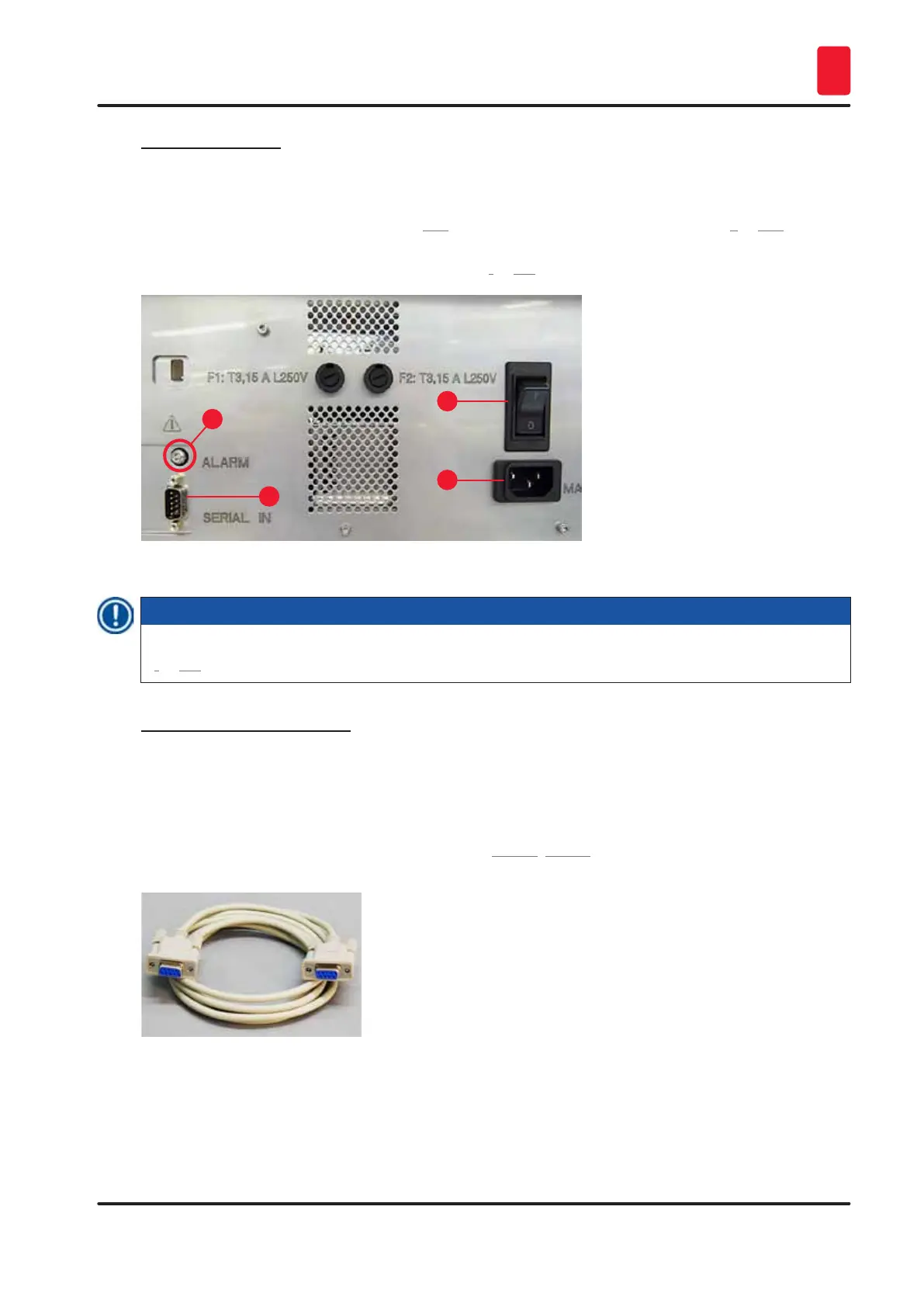
L The electrical connenctions are located at the back panel of the instrument (→ "Fig. 28").
1. Make sure the printer is switched OFF, mains switch (→ "Fig. 28-3") in position "0" = OFF.
2. Insert the correct power cord into the mains input socket (→ "Fig. 28-4").
3. Switch on mains switch (switch to position "I" = ON).
1
2
3
4
Fig. 28
Note
Once switched on for the first time, the mains switch (→ "Fig. 28-3") should always remain in position
"I" = ON.
Setting up the data connection
L To use the printer, a serial data cable (→ "Fig. 29") is required (→ p. 27 – 4.3 Standard
delivery).
1. Connect the cable to printer port (→ "Fig. 28-1").
2. Connect the cable to one of the serial ports (COM 1, COM 2) of the computer containing the
control software.
Fig. 29



 To Next Page