60
Version 2.0, Revision I
Cleaning and Maintenance
6
The printer is once again ready for printing.
Warning
If no button is pressed to acknowledge the end of the cleaning procedure, the print head will be
closed automatically after a few minutes to prevent it from drying out.
However, the message 15 remains on the display, as the instrument assumes that the cleaning has
not been carried out.
6.3 Exchanging the cartridge
Note
The ink cartridge has to be replaced after 3.5 months at the latest or after 60,000 prints. On the white
surface on the front side of the ink cartridge, note the date when the ink cartridge was installed.
6.3.1 Removing the used ink cartridge
1. Open the cover plate (→ "Fig. 30-2") on the left side of the instrument by pressing its top left
corner (→ "Fig. 30").
2. Close the red cap (→ "Fig. 35-3") and loosen it again with one full turn.
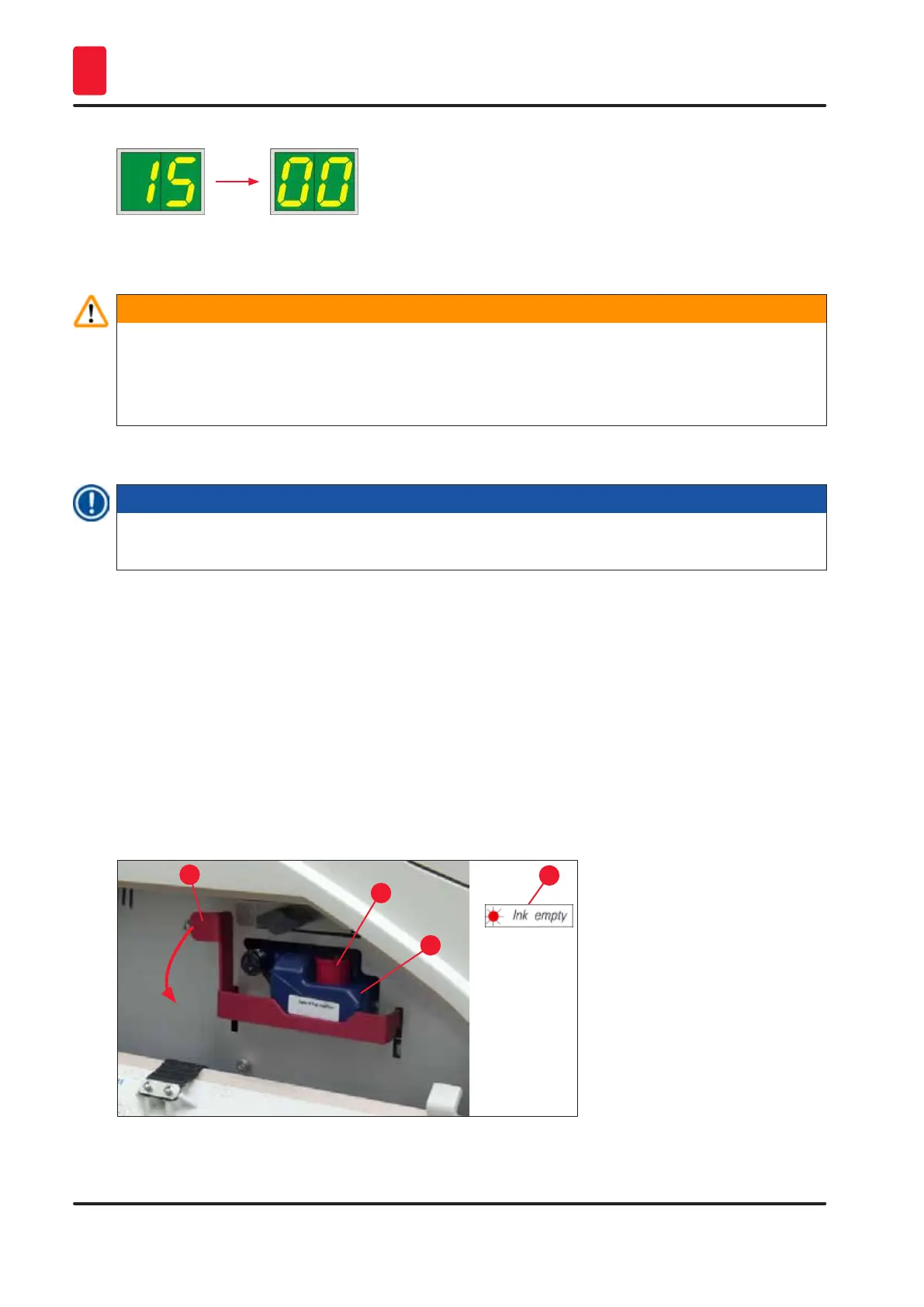
3. Press the red retaining bracket (→ "Fig. 54-1") down and pull the ink cartridge out
(→ "Fig. 54-2") approx. 30 mm until the INK EMPTY LED (→ "Fig. 54-3") lights up.
4. Retighten the red cap and completely remove the cartridge from the printer.
5. Store the ink cartridge in a horizontal position in a sealed container.
6. Dispose the used ink cartridge in accordance with the regulations of your laboratory and your
legislative.
Fig. 54
1
2
3
4



 To Next Page