63
Leica IP S
Cleaning and Maintenance 6
Fig. 55
1
3
2
4
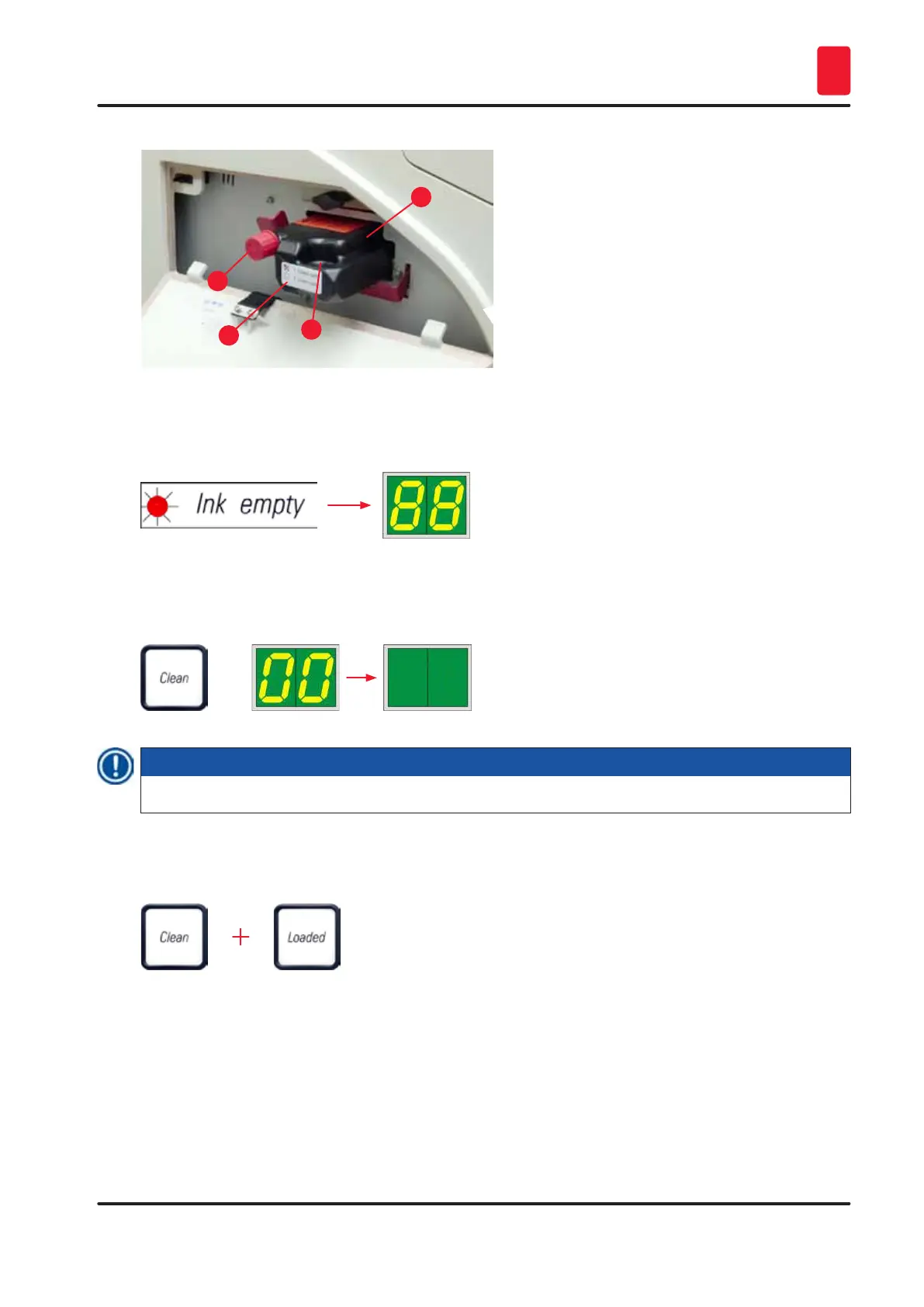
9. The INK EMPTY LED goes out, and 88 appears in the display.
10. Press CLEAN to clean the print head (duration: approx. 3.5 min) - 00 appears in the display. The
display will go out when the cleaning process is complete.
Note
The cleaning process with solvent takes approx. 3.5 minutes.
11. Open the hood of the printer (→ "Fig. 30-1"), then press the CLEAN and LOADED buttons at the
same time.
12. Pressing those buttons moves the print head (→ "Fig. 56-1") up and away from the replacement
plate.
13. Push the lever (→ "Fig. 56-2") up to allow removal of the replacement plate.



 To Next Page