64
Version 2.0, Revision I
Cleaning and Maintenance
6
1
2
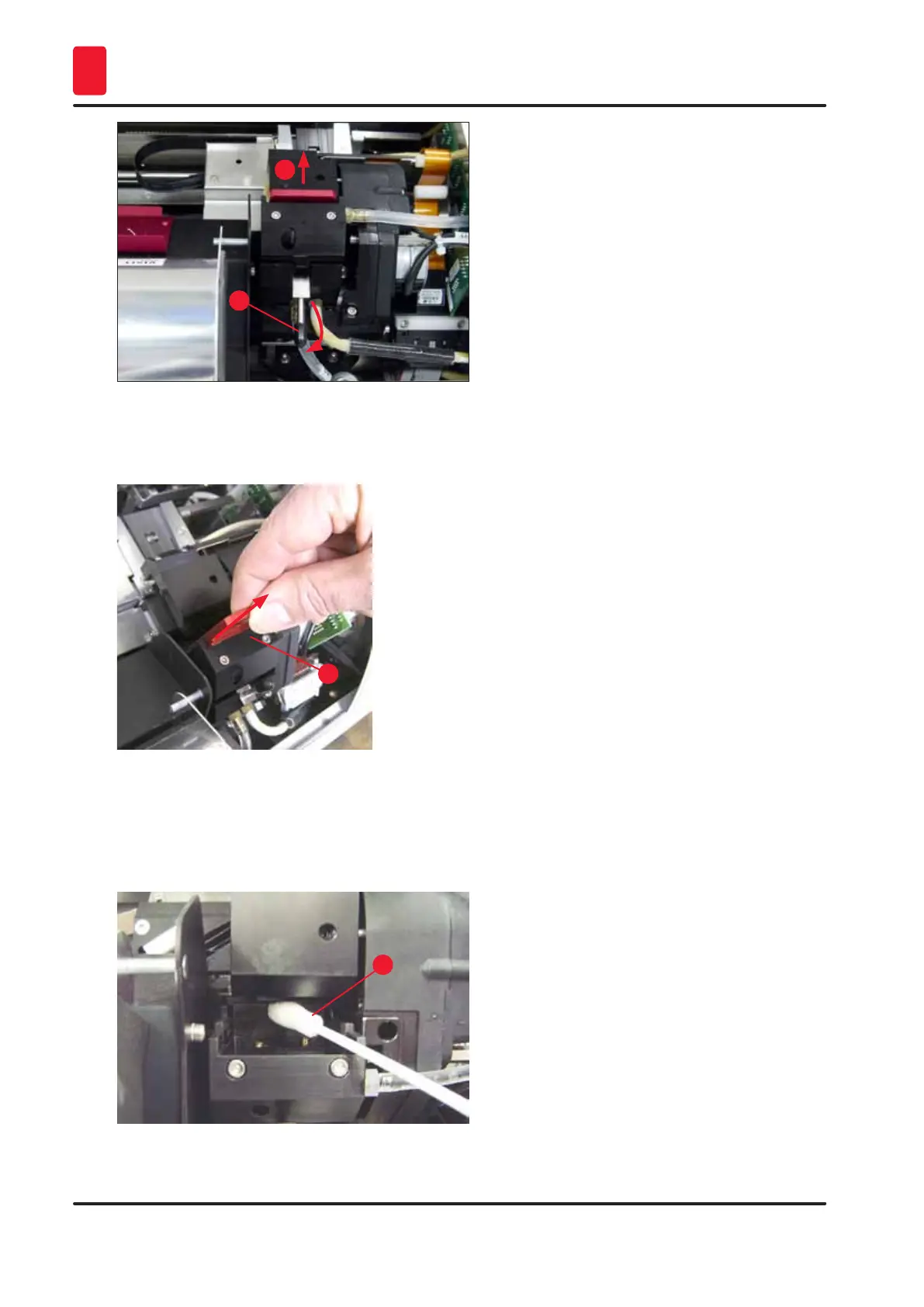
Fig. 56
14. Remove the red replacement plate (→ "Fig. 57-1").
15. Clean it using alcohol (95 %-100 %).
1
Fig. 57
16. Clean the print head with alcohol (95 %-100 %) and the provided cleaning swabs
(→ "Fig. 58-1"). This involves pushing the swab underneath the print head, raising it with
slight pressure (onto the print head) and moving from the bottom right to the top left (along the
sealing lip). Turn the swab slightly after each upward movement.
1
Fig. 58



 To Next Page