Leica M Series User Manual Assembly 44
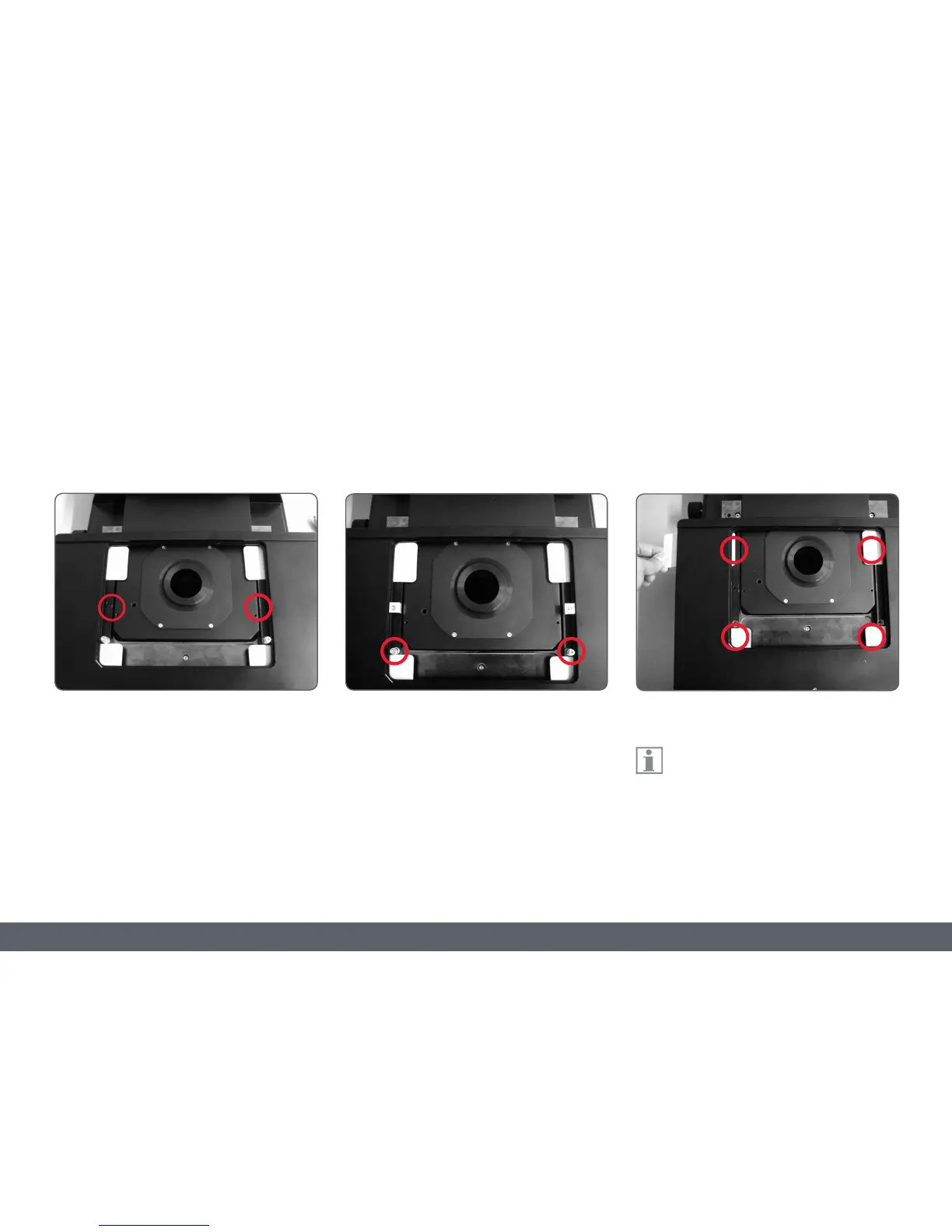
3. Remove the two M3 screws and the holder
from the mechanical stage.
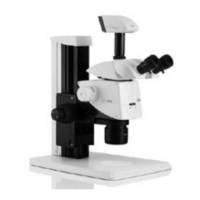
4. Remove the two M4 screws and the sleeve
from the mechanical stage.
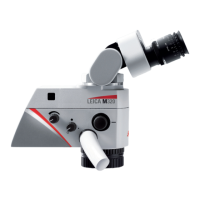
5. Remove the four shock-absorbing cartons
from the mechanical stage.
After removal, keep all the transport
anchors in the plastic bag provided for
future transport.
Leica IsoPro Motorized Mechanical Stage: Assembly (Continued)



 To Next Page