Leica M Series User Manual Assembly 63
Leica EL6000 – Using the Internal Shutter
With the M205 FCA you can control a variety of
fluorescence light sources, e.g. the EL6000 has
a fast internal shutter. To take advantage of this
fast shutter you should use the CAN to RS232
cable 10 450 904.
When using this cable the shutter closes auto-
matically on every filter change. In addition it
can be controlled from LAS-X and the Smart-
Touch.
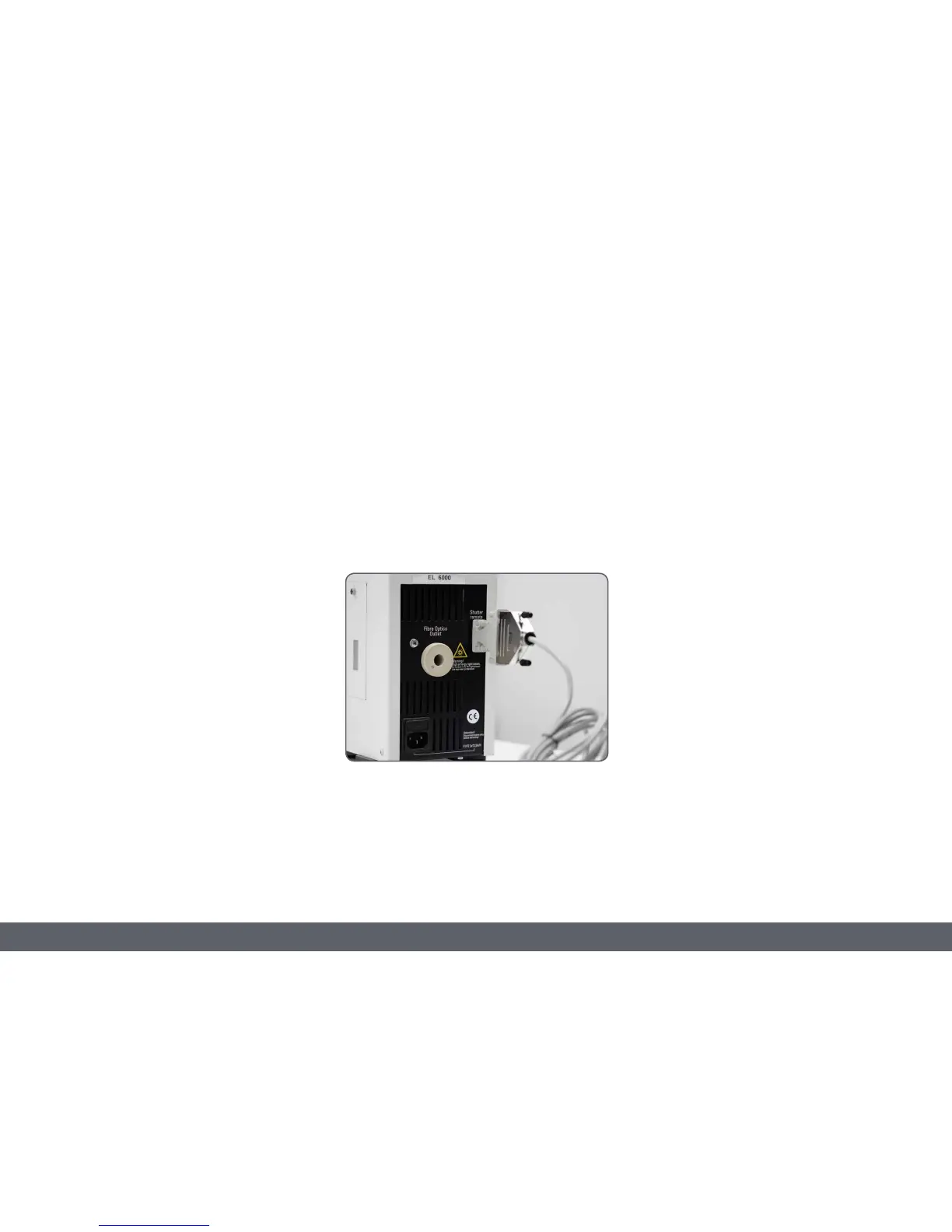
Connecting the shutter cable
Plug the cable into a free CAN port of your
microscope.
Use the reduction piece from 25 to 9 pins to
connect the cable with the serial port of the
light source.
Configuring the shutter
On the front panel of the lightsource is a switch
that allows switching between "always open"
and "remote". Set the switch to remote to
ensure the correct function of the cable.
Using the Shutter
When switching on the microscope the
shutter is always open if a filter is in position.
This ensures seamless work for screening and
other applications without a PC.
If you are using a SmartTouch a new light
source will appear as incident light source.
Now you can control the shutter also from the
SmartTouch.



 To Next Page