Leica M Series User Manual Assembly 40
Leica IsoPro Manual Mechanical Stage: Assembly
Before the Leica IsoPro mechanical stage is
mounted to the base, the axis containing the
control buttons is attached either on the left or
the right side of the mechanical stage.
Leica IsoPro Mechanical Stage
Before the Leica IsoPro mechanical stage is
mounted to the base, the axis containing the
control buttons is attached either on the left or
the right side of the mechanical stage.
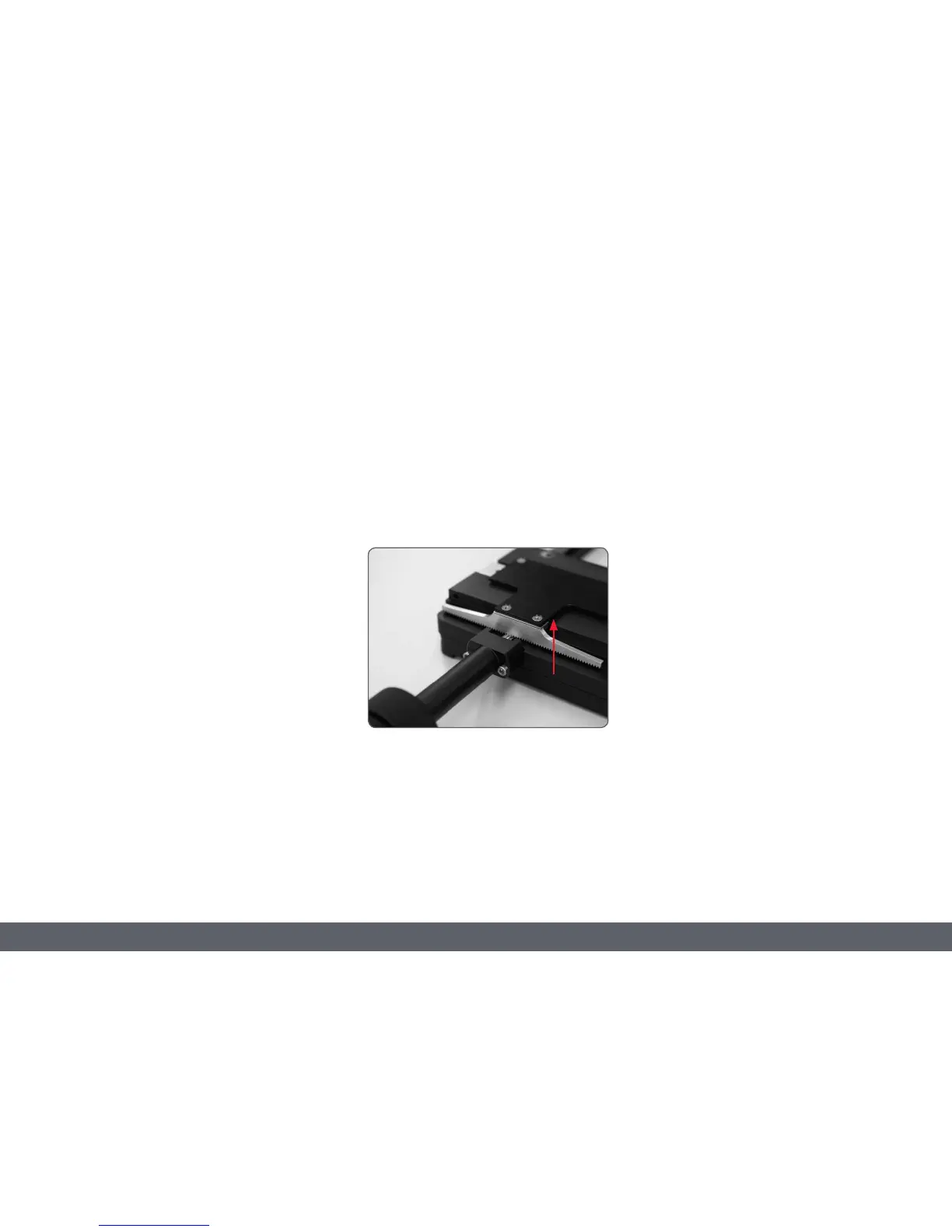
If the controls are to be mounted on the left-
hand side, the gear rod on the bottom side of
the mechanical stage must be unscrewed and
reattached in reverse.
1. Take the glass plate from the mechanical
stage.
2. Turn the mechanical stage around and
place it onto a non-slip surface.
3. Change the gear rod from the left to the
right-hand side.
4. Skip the next two steps to install the
controls.
Left or right operation
If the controls are to be mounted on the left-
hand side, the gear rod on the bottom side of
the mechanical stage must be unscrewed and
reattached in reverse.



 To Next Page