OPERATION LEISTER Uniplan E
5
Welding parameters
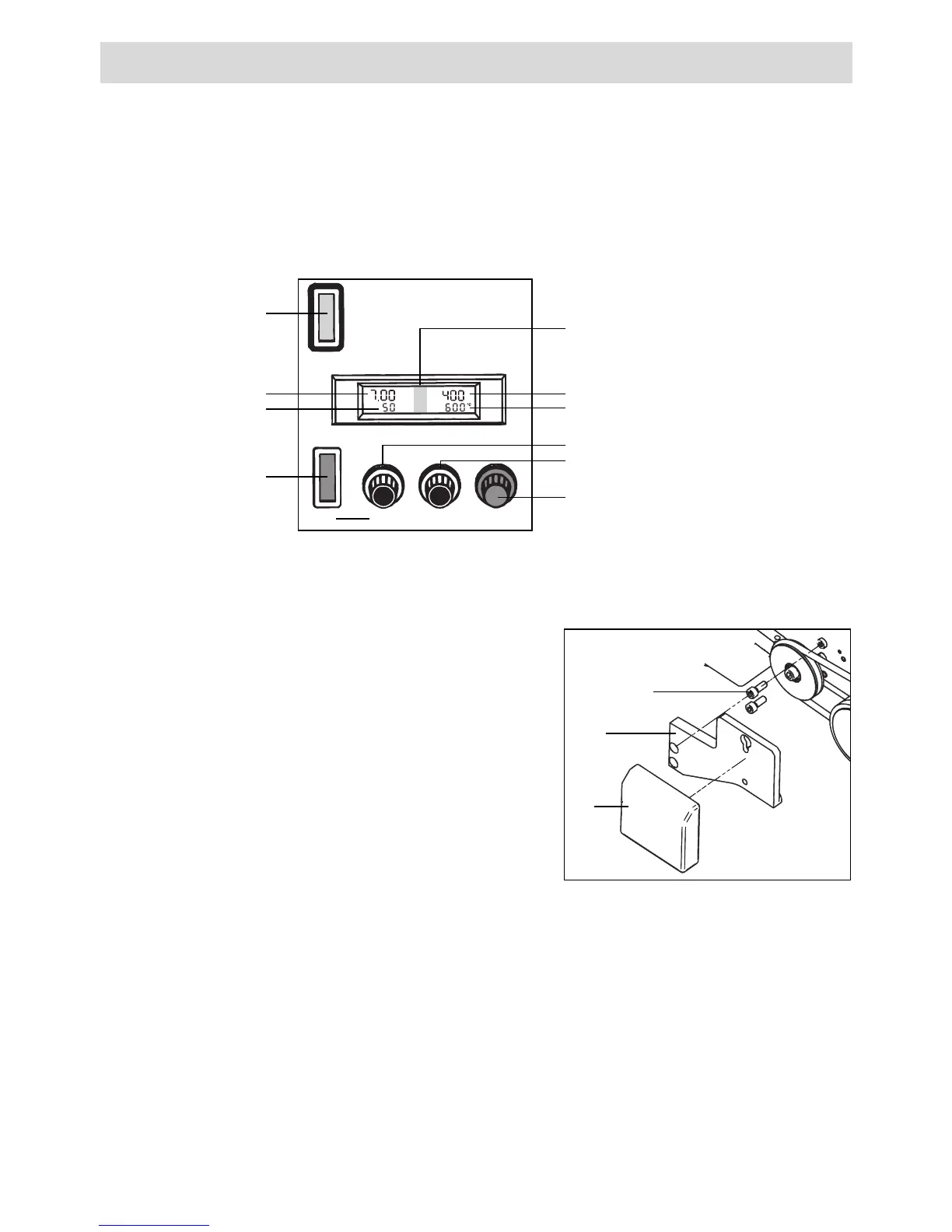
• Set potentiometer for welding speed (19) to required value.
• Set potentiometer for air flow (20) to required value.
• Set potentiometer for air temperature (21) to required value.
• The pressure derives from the actual weight of the automatic hot air welding
machine. Use additional weight if necessary.
Welding process
• Swivel hot air blower (3) up to the stop using swivel lever (22). The welding process
starts automatically via automatic drive.
• If necessary, the tool can be started manually by means of the drive switch (18).
• Check welding process. Adjust welding parameters using potentiometers (19), (20)
and (21) if necessary.
• When welding has finished, swing hot air blower (3) to the stop by means of swivel
lever (22). Welding process stops automatically.
• After completing welding work, set potentiometer for air temperature (21) to zero
so that the hot air blower (3) cools down.
•Switch off tool at the main switch (17).
• Disconnect tool from the mains.
• Assembling additional weight
– Attach additional weight holder (29) to the
Uniplan E tool by means of cylindrical head
screw M8x20 (28).
– Put additional weight (30) into additional
weight holder (29).
Accessory additional weight
28
29
30
Speed m/ft
Air-Vol %
ON Speed Air-Vol % Temperature
Temperature
(17) Main switch
Temperatur ACTUAL- value
Display (15)
Temperatur SET- value
Potentiometer for welding speed (19)
Potentiometer for air flow (20)
Potentiometer for air temperature (21)
Welding speed
Air flow
(18) Drive switch







 To Next Page