Locatingconnectors,controls,andindicatorsonthefrontofyour
computer
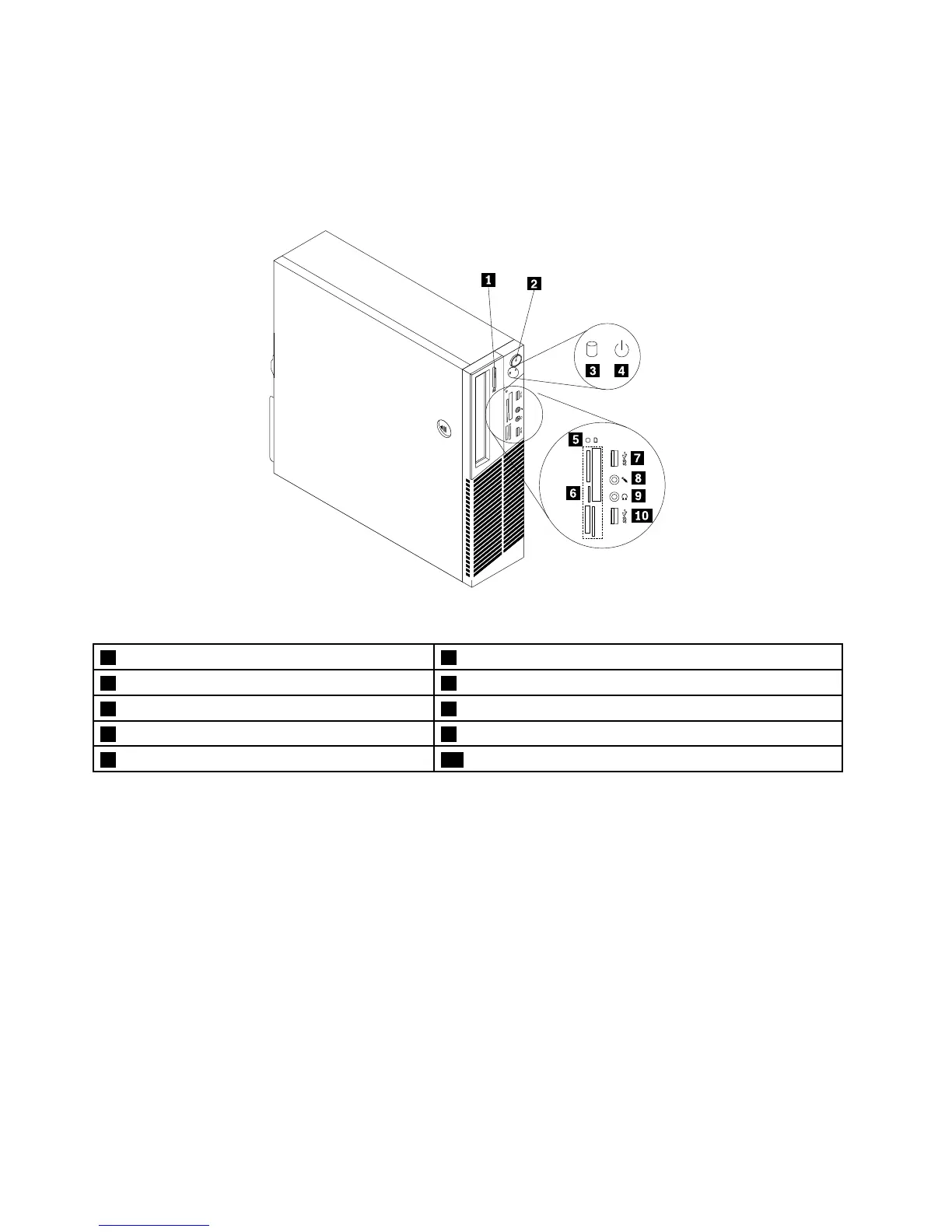
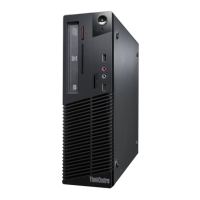
Figure1“Frontconnector,controls,andindicatorlocations”onpage10showsthelocationsofthe
connectors,controls,andindicatorsonthefrontofyourcomputer.
Figure1.Frontconnector,controls,andindicatorlocations
1Opticaldriveeject/closebutton6Cardreaderslots(availableinsomemodels)
2powerbutton
7USB3.0connector(USBport2)
3Harddiskdriveactivityindicator8Microphoneconnector
4Powerindicator9Headphoneconnector
5Cardreaderindicator(availableinsomemodels)10USB3.0connector(USBport1)
Locatingconnectorsontherearofyourcomputer
•Figure2“ThinkCentreM93/prearconnectorlocations”onpage11showsthelocationsoftheconnectors
ontherearoftheThinkCentreM93/pcomputer.Someconnectorsontherearofyourcomputerare
color-codedtohelpyoudeterminewheretoconnectthecablesonyourcomputer.
•Figure3“ThinkCentreM83rearconnectorlocations”onpage12showsthelocationsoftheconnectors
ontherearoftheThinkCentreM83computer.Someconnectorsontherearofyourcomputerare
color-codedtohelpyoudeterminewheretoconnectthecablesonyourcomputer.
10ThinkCentreM83,M93/pUserGuide




 To Next Page