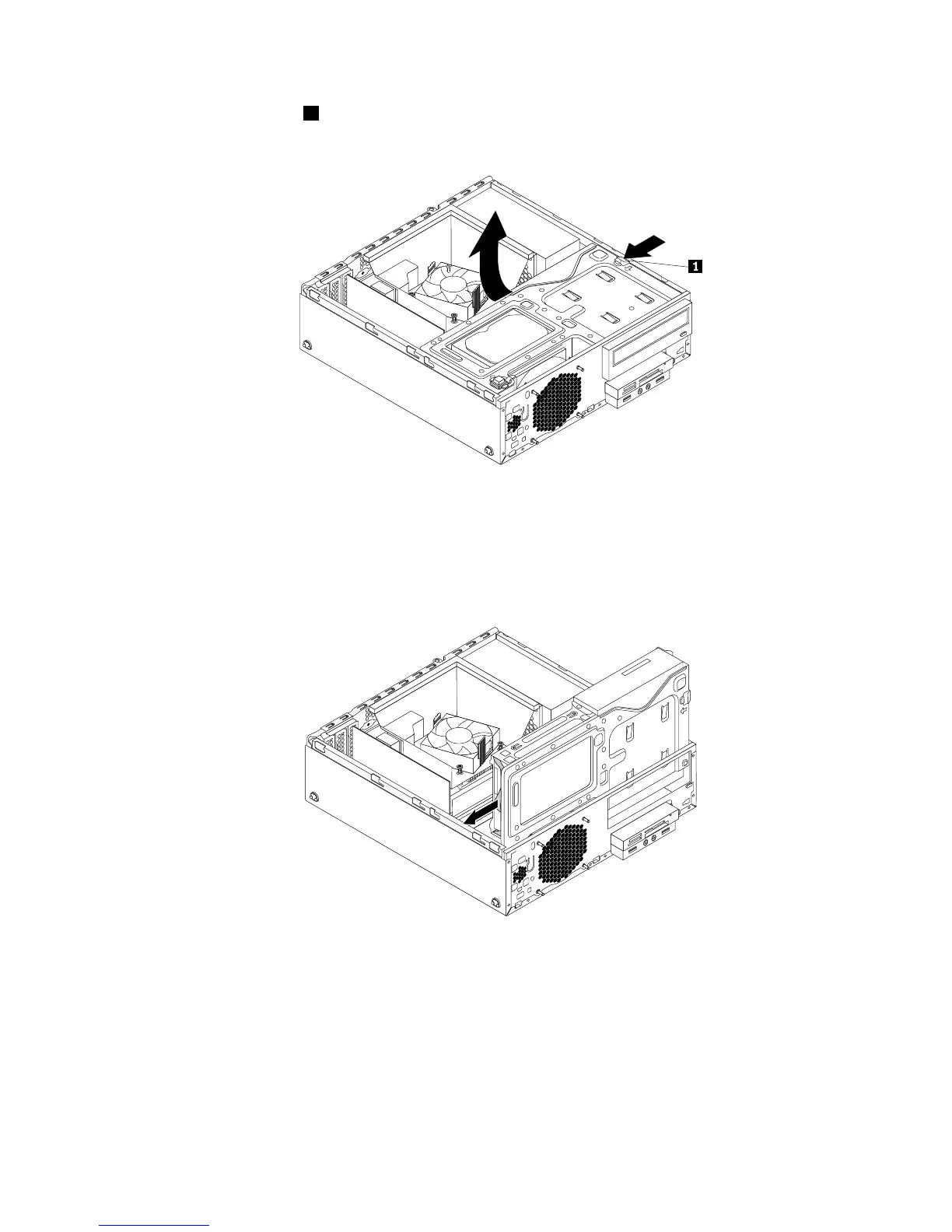
4.Presstheretainingclip1inthedirectionasshownandpivotthedrivebayassemblyupwardatthe
sametime.
Figure70.Pivotingthedrivebayassemblyupward
5.Locatetheprimaryharddiskdrive.See“Locatinginternaldrives”onpage17.
6.Disconnectthesignalcableandthepowercablefromtheprimaryharddiskdrive.
7.Pullonthebluehandletoslidetheprimaryharddiskdriveoutofthedrivebay.
Figure71.Removingtheprimaryharddiskdrive
8.Flexthesidesofthebluebrackettoremovetheprimaryharddiskdrivefromthebracket.
Chapter5.Installingorreplacinghardware73




 To Next Page