For access, remove these FRUs:
• “1010 Removable battery” on page 64
Removal steps of the base cover assembly
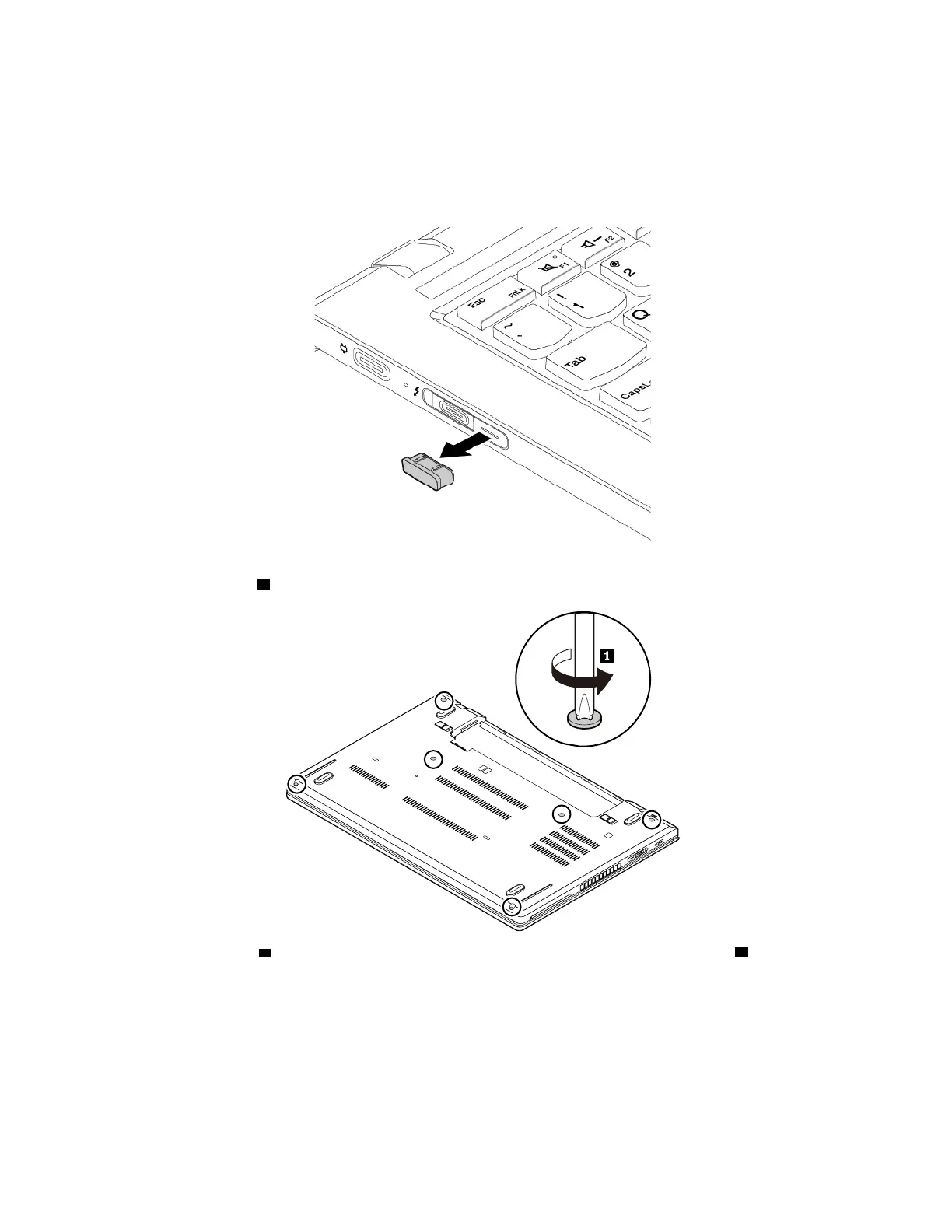
1. Remove the connector cover.
2. Loosen the screws 1 .
3. Press the locations a on the base cover assembly with your thumbs and pivot the hooks b upward at
the same time to disengage the hooks from the chassis.
66
T480 Hardware Maintenance Manual



 To Next Page