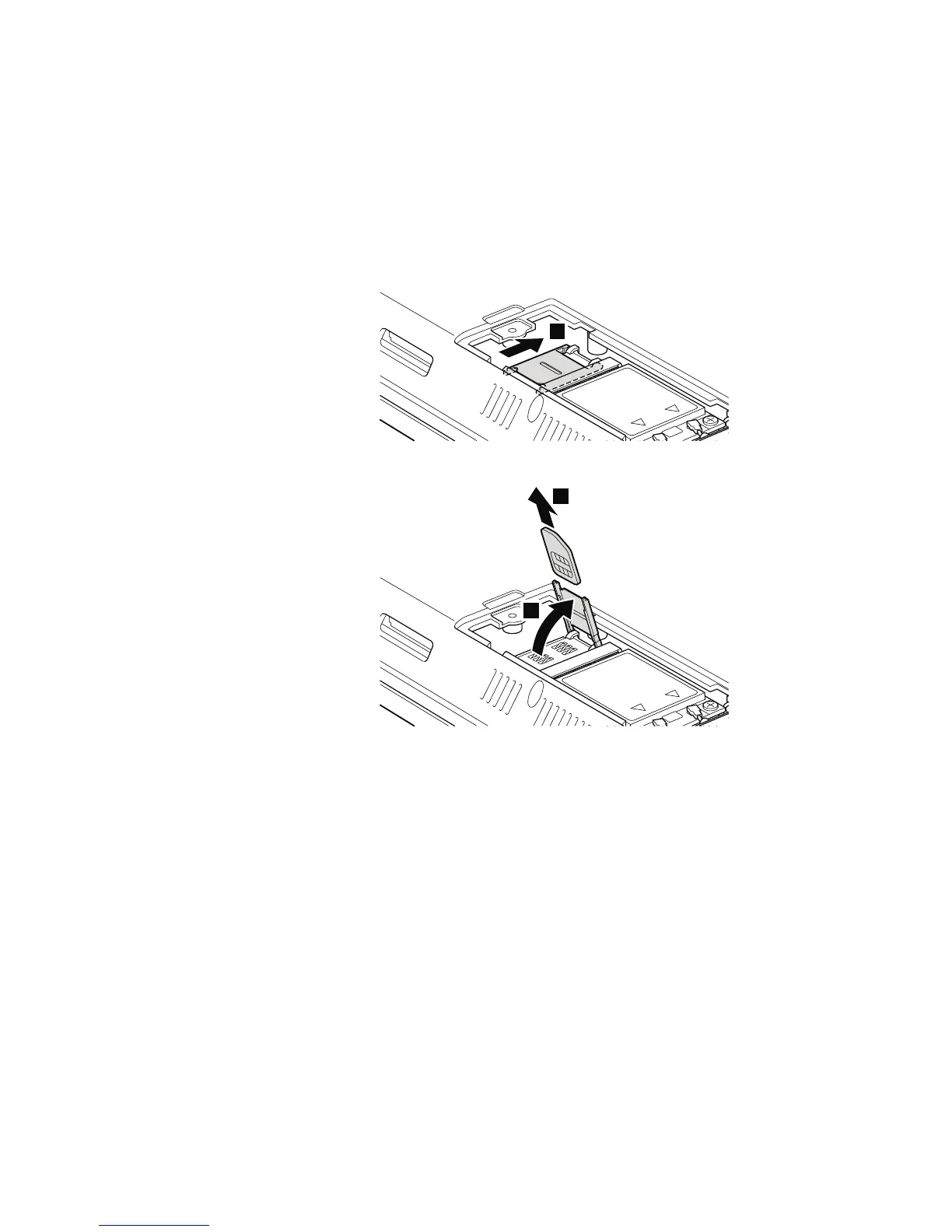
Table 17. Removal steps of SIM card
Some models of ThinkPad Edge 14″, Edge 15″, E40, and E50 might have the SIM
card that the customer has been installed. If you need to replace the system
board in those models, remove the SIM card as follows:
After you finish the servicing, make sure that you insert the card back into the
slot firmly.
1
2
3
92 ThinkPad Edge 14″, Edge 15″, E40, and E50 Hardware Maintenance Manual













 To Next Page