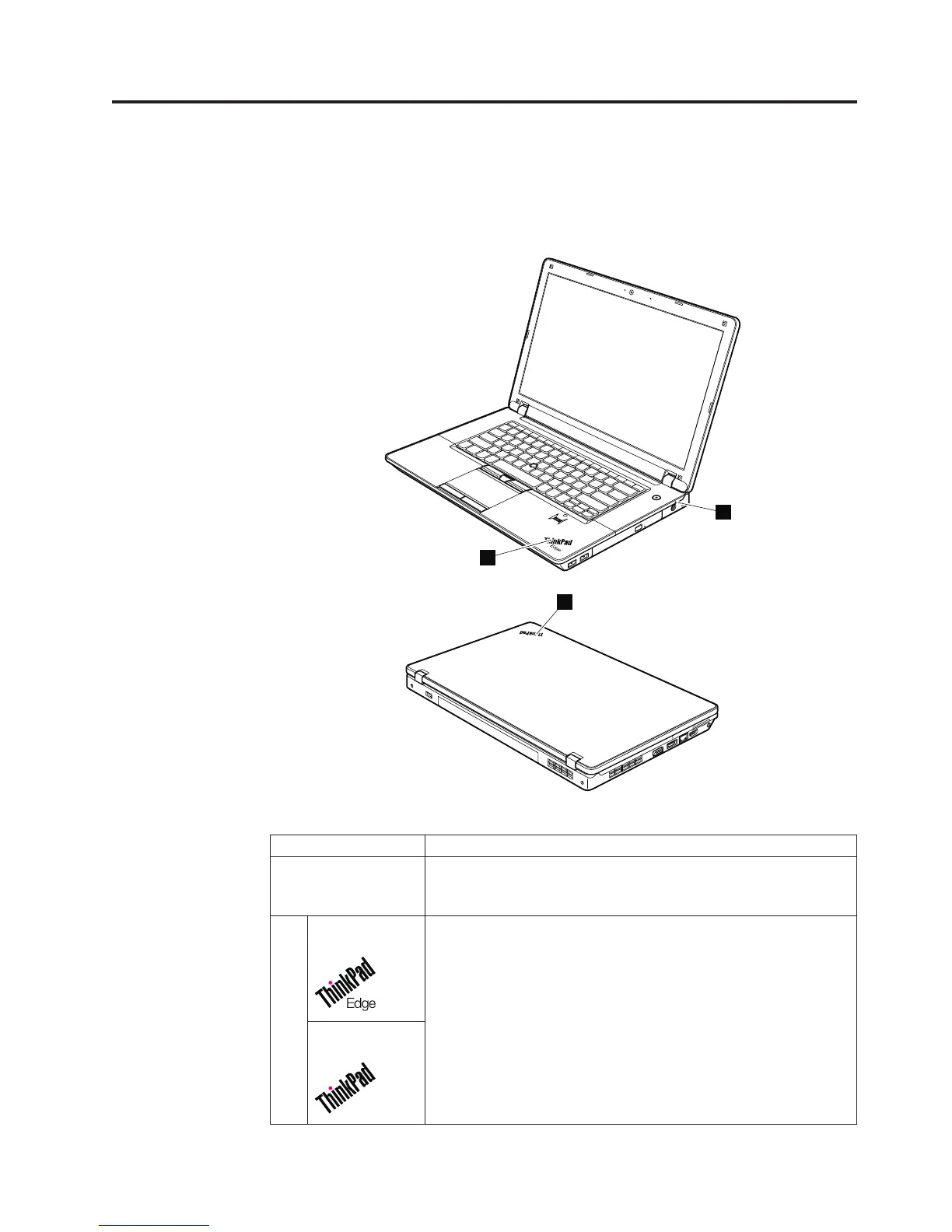
Status indicators
This chapter presents the system status indicators that show the status of the
computer.
1
2
2
Table 6. Status indicators
Indicator Meaning
1 Power status Green: The ac adapter is connected. If a battery is installed on
the computer, it is charged when this indicator is on.
Off: The ac adapter is not connected.
2 Sleep (standby)
status
The illumination dot in the ThinkPad logo on the outer lid of the
computer and on the palm rest works as a system-status indicator:
it shows whether the computer is in sleep (standby), hibernation,
or normal model.
Red: The computer is on (in normal mode).
Fast blinking red:
The computer is entering sleep (standby) or hibernation
mode.
Slow blinking red:
The computer is in sleep (standby) mode.
Off: The computer is off or in hibernation mode.
Sleep (standby)
status
© Copyright Lenovo 2010 69













 To Next Page