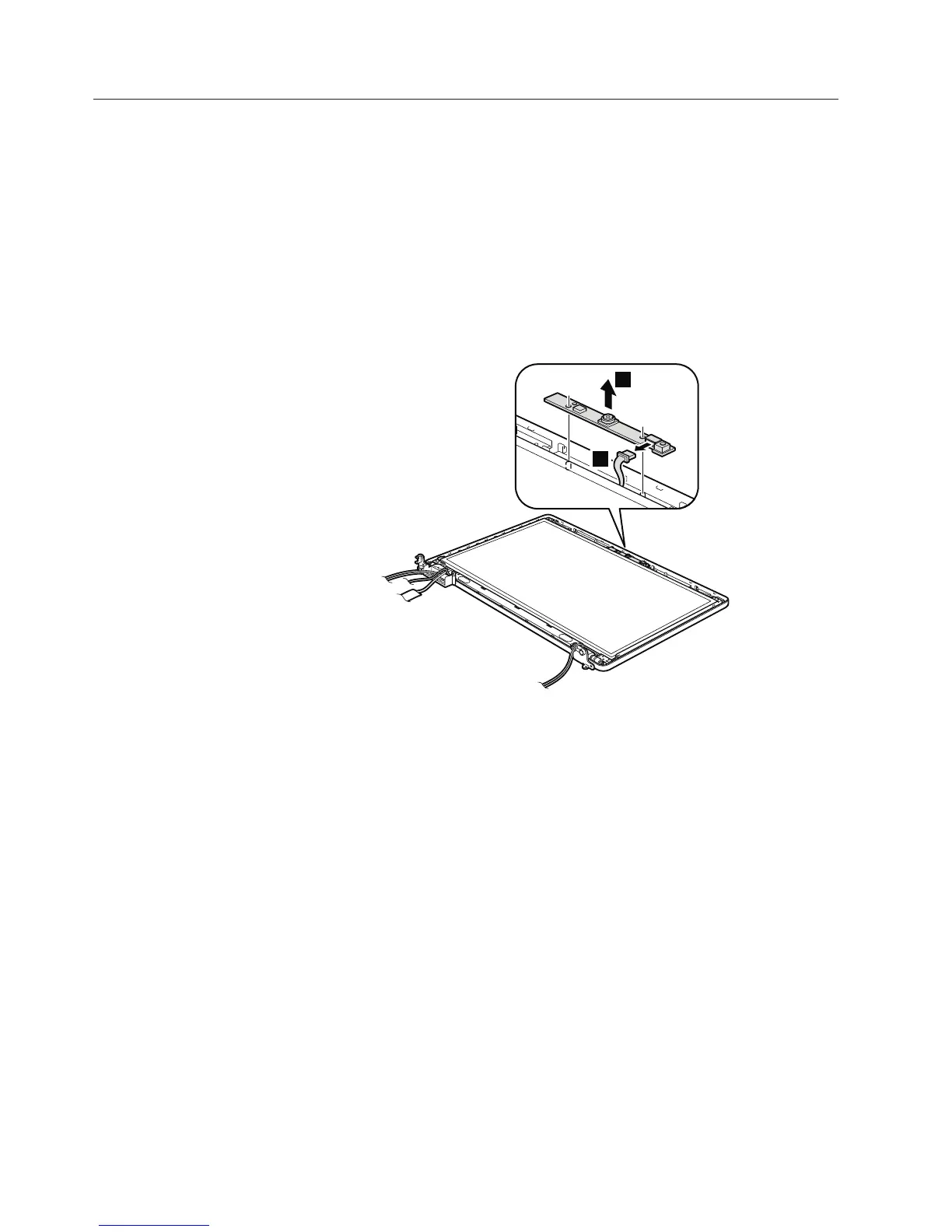
2030 Integrated camera
For access, remove these FRUs, in order:
v “1010 Battery pack” on page 78
v “1090 Wireless WAN slot cover and PCI Express Mini Card for wireless WAN”
on page 90
v “1100 Palm rest assembly with cables” on page 93
v “1110 PCI Express Mini Card for wireless LAN” on page 96
v “1140 Keyboard” on page 100
v “1150 Keyboard bezel” on page 103
v “1160 LCD unit” on page 106
v “2010 LCD front bezel” on page 124
Table 34. Removal steps of integrated camera
1
2
When installing: Make sure that the connector is attached firmly.
126 ThinkPad Edge 14″, Edge 15″, E40, and E50 Hardware Maintenance Manual













 To Next Page