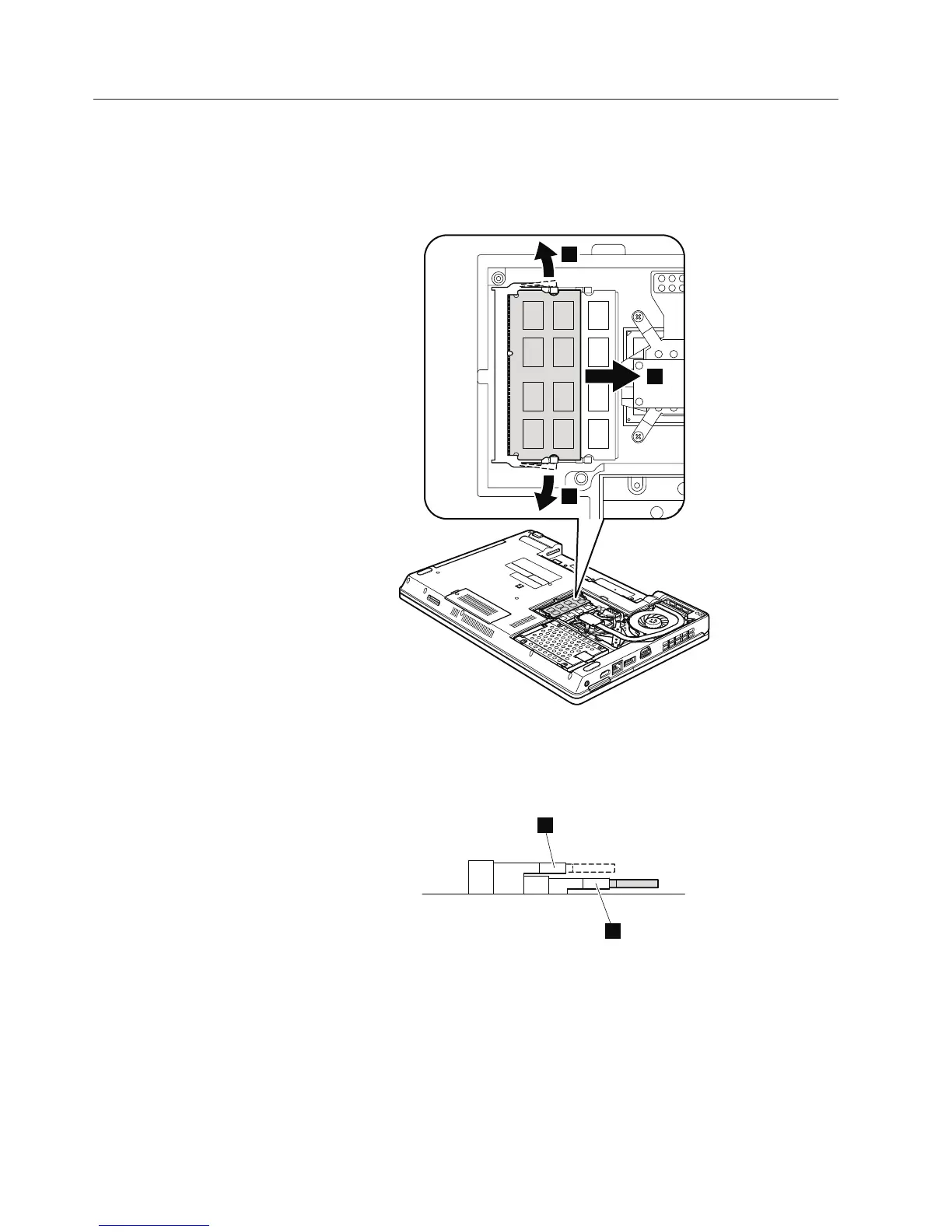
1060 DIMM
For access, remove these FRUs in order:
v “1010 Battery pack” on page 78
v “1040 Thermal cover” on page 81
Table 13. Removal steps of DIMM
1
1
2
Note: If only one DIMM is used on the computer you are servicing, the card
must be installed in SLOT-0 (a: lower slot), but not in SLOT-1 (b: upper
slot).
b
a
When installing: Insert the notched end of the DIMM into the socket. Press the
DIMM firmly, and pivot it until it snaps into the place. Make sure that it is
firmly fixed in the slot and does not move easily.
84 ThinkPad Edge 14″, Edge 15″, E40, and E50 Hardware Maintenance Manual













 To Next Page