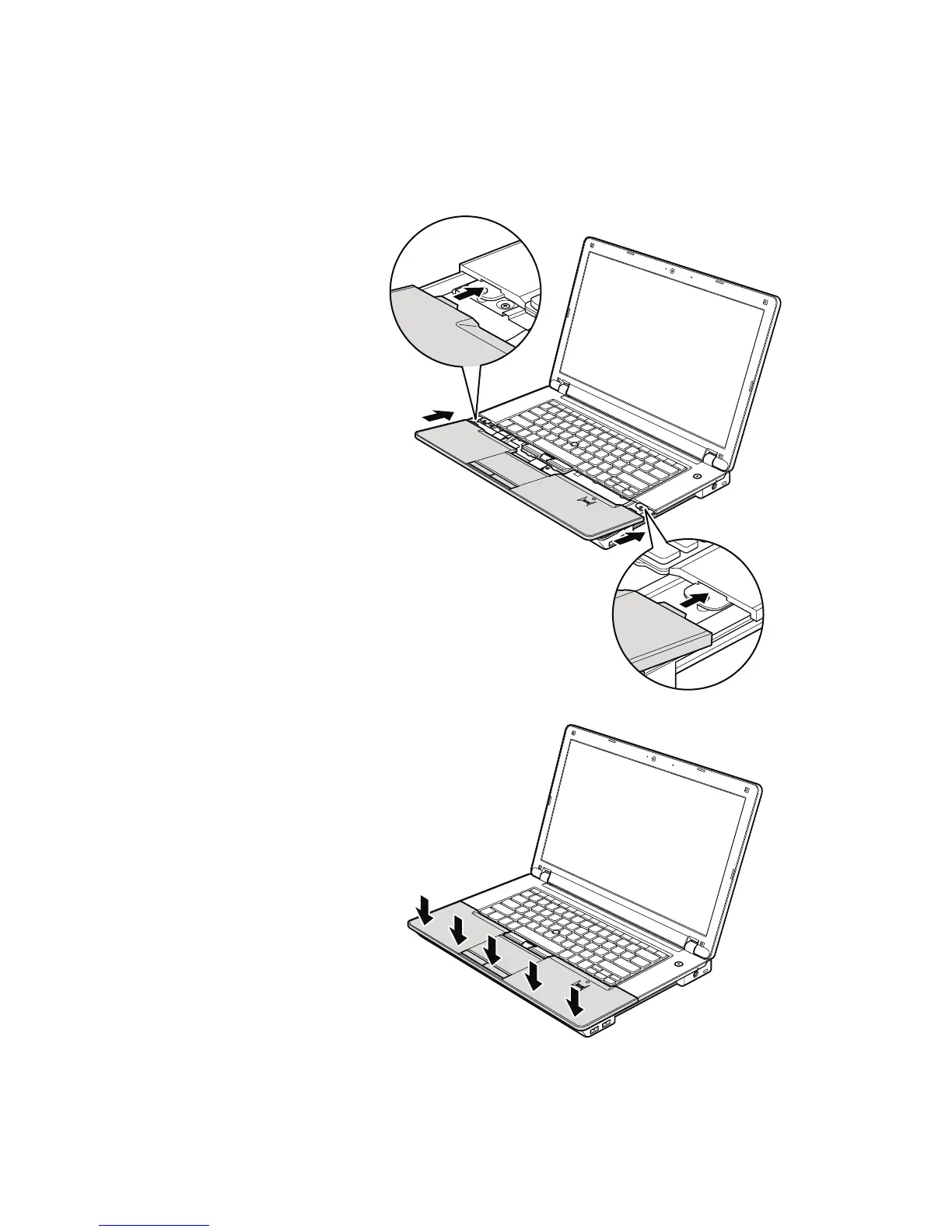
Table 19. Installation of palm rest assembly with cables
When installing:
1. Attach the cables to the system board firmly.
2. Attach the palm rest so that the two small projections of the palm rest firmly
fit into the guide holes of the keyboard bezel as shown in this figure.
3. Push the front side of the palm rest until it clicks into place.
4. Close the LCD cover and turn the computer over. Then fasten the screws to
secure the palm rest.
Removing and replacing a FRU 95













 To Next Page