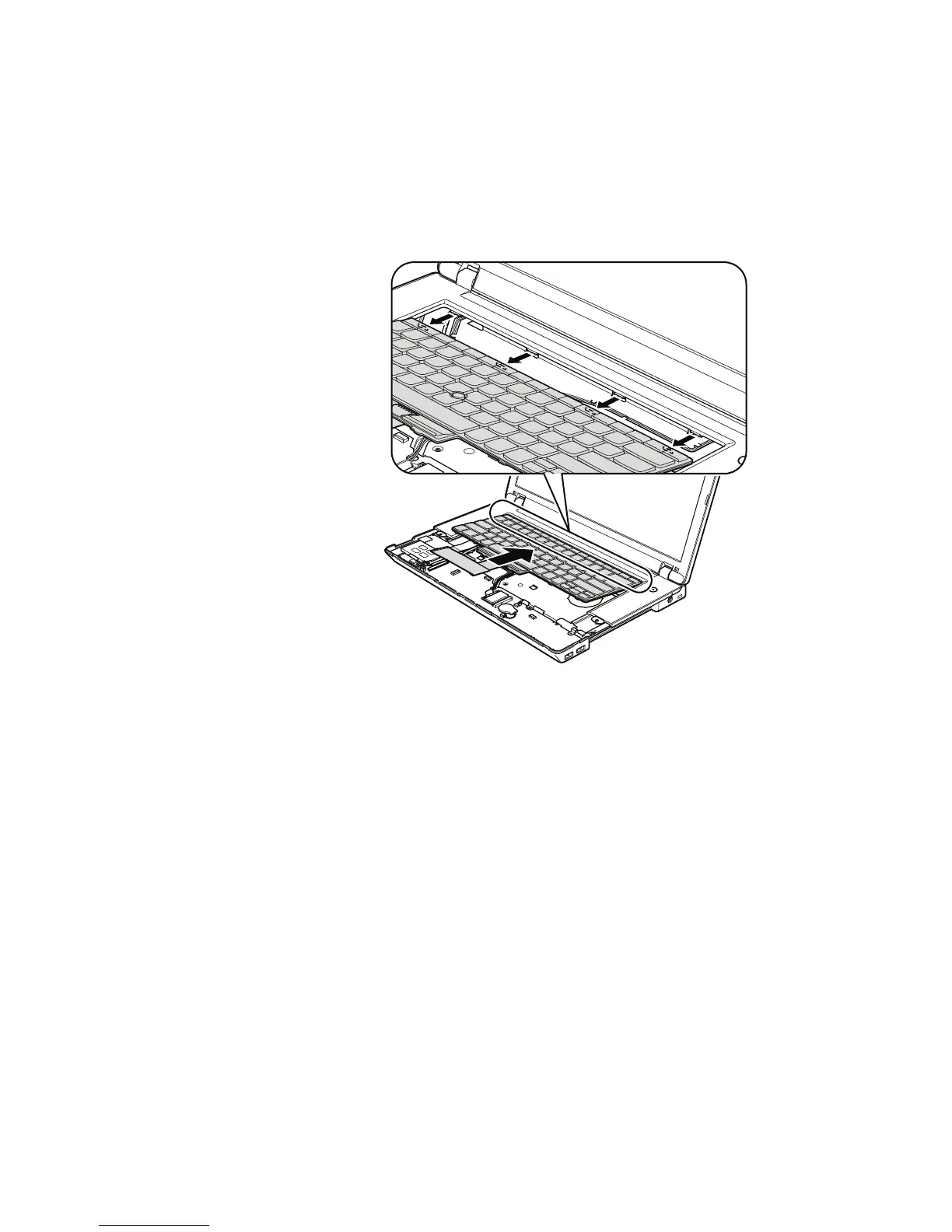
When installing the keyboard, do as follows:
Table 24. Installation of the keyboard
1. Attach the connectors.
2. Attach the keyboard so that the keyboard edges are under the frame as
shown in this figure.
3. To make sure that the front side of the keyboard is housed firmly, gently
press the keys with your thumbs and try to slide the keyboard toward you.
4. Secure the keyboard by tightening the screws from the bottom side of the
computer.
102 ThinkPad Edge 14″, Edge 15″, E40, and E50 Hardware Maintenance Manual













 To Next Page