Table 14. Removal steps of fan assembly (continued)
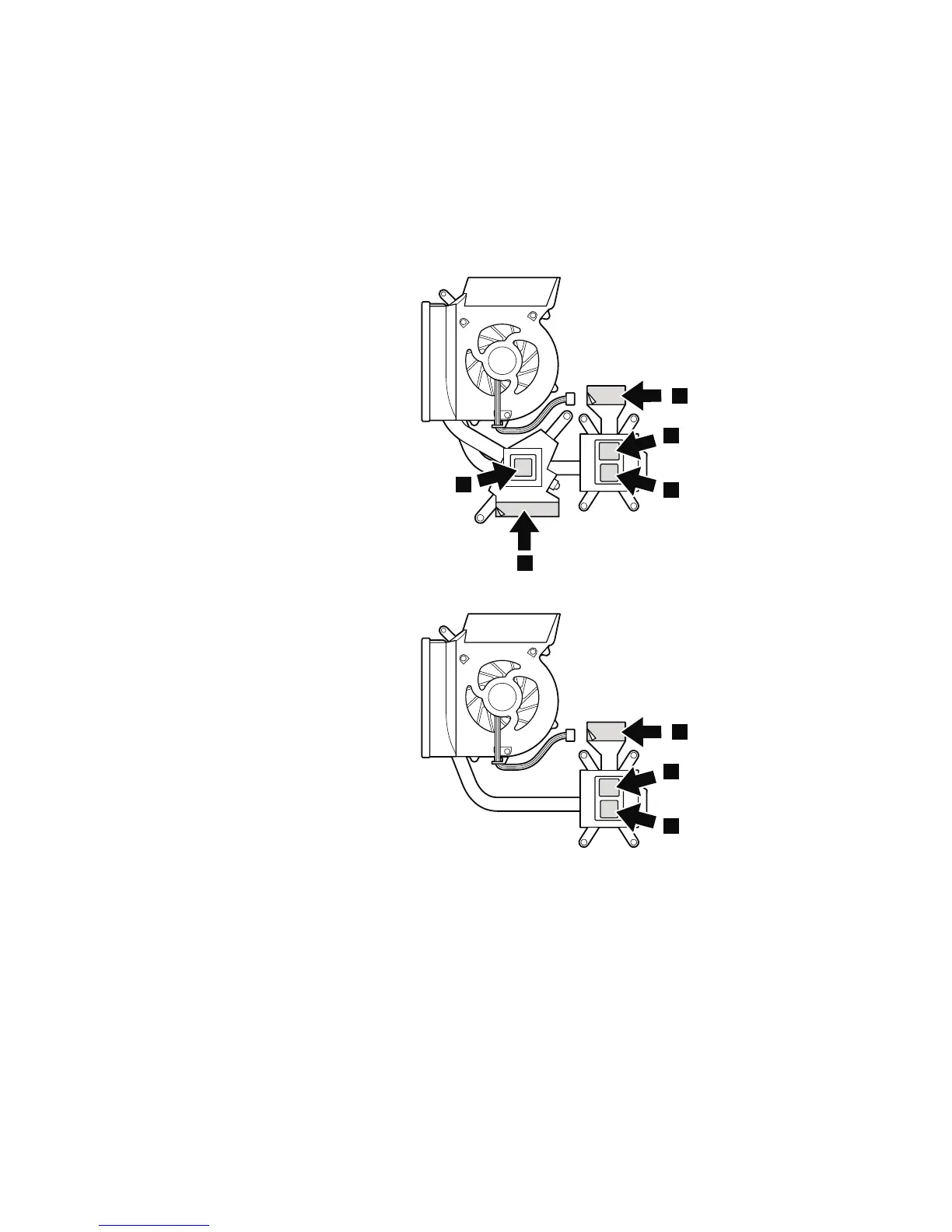
When installing: Before you attach the fan assembly to the computer, apply
thermal grease, at an amount of 0.2 grams, on the parts marked a as in the
following figures. Either too much or too less application of grease can cause a
thermal problem due to imperfect contact with a component. For the new CPU
thermal device/fan, you need to peel the thin film off from the rubbers marked
b.
For discrete fan assembly
b
b
a
a
a
For integrated fan assembly
b
a
a
88 ThinkPad Edge 14″, Edge 15″, E40, and E50 Hardware Maintenance Manual













 To Next Page