User Manual of Network Camera
48
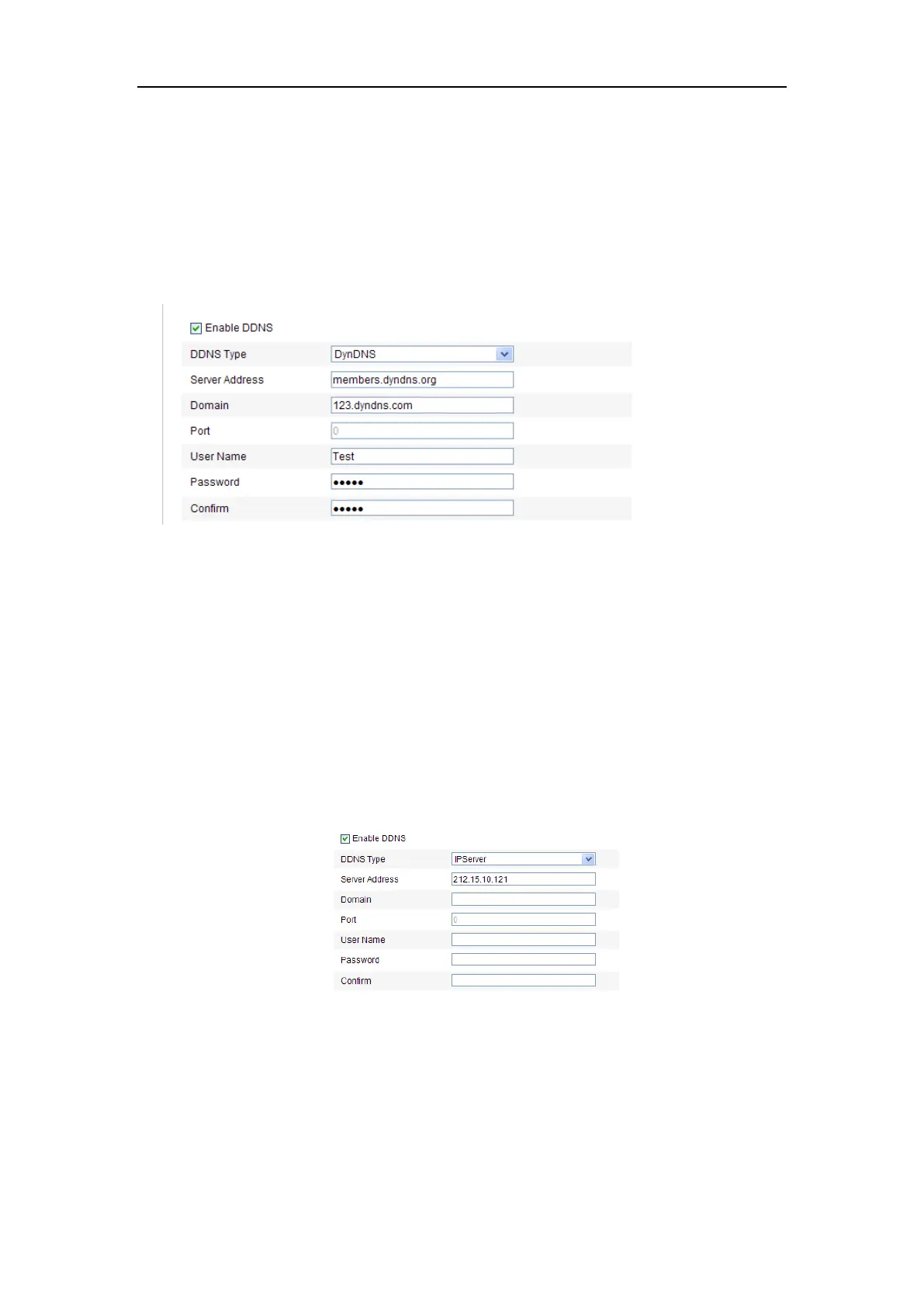
(2) In the Domain text field, enter the domain name obtained from the DynDNS
website.
(3) Enter the Port of DynDNS server.
(4) Enter the User Name and Password registered on the DynDNS website.
(5) Click Save to save the settings.
Figure 6-9 DynDNS Settings
⚫ IP Server:
Steps:
(1) Enter the Server Address of the IP Server.
(2) Click Save to save the settings.
Note: For the IP Server, you have to apply a static IP, subnet mask, gateway and
preferred DNS from the ISP. The Server Address should be entered with the
static IP address of the computer that runs the IP Server software.
Figure 6-10 IPServer Settings
Note: For the US and Canada area, you can enter 173.200.91.74 as the server
address.
⚫ NO-IP:
Steps:















 To Next Page