User Manual of Network Camera
76
6.5.2 Configuring OSD Settings
Purpose:
You can customize the camera name and time on the screen.
Steps:
1. Enter the OSD Settings interface:
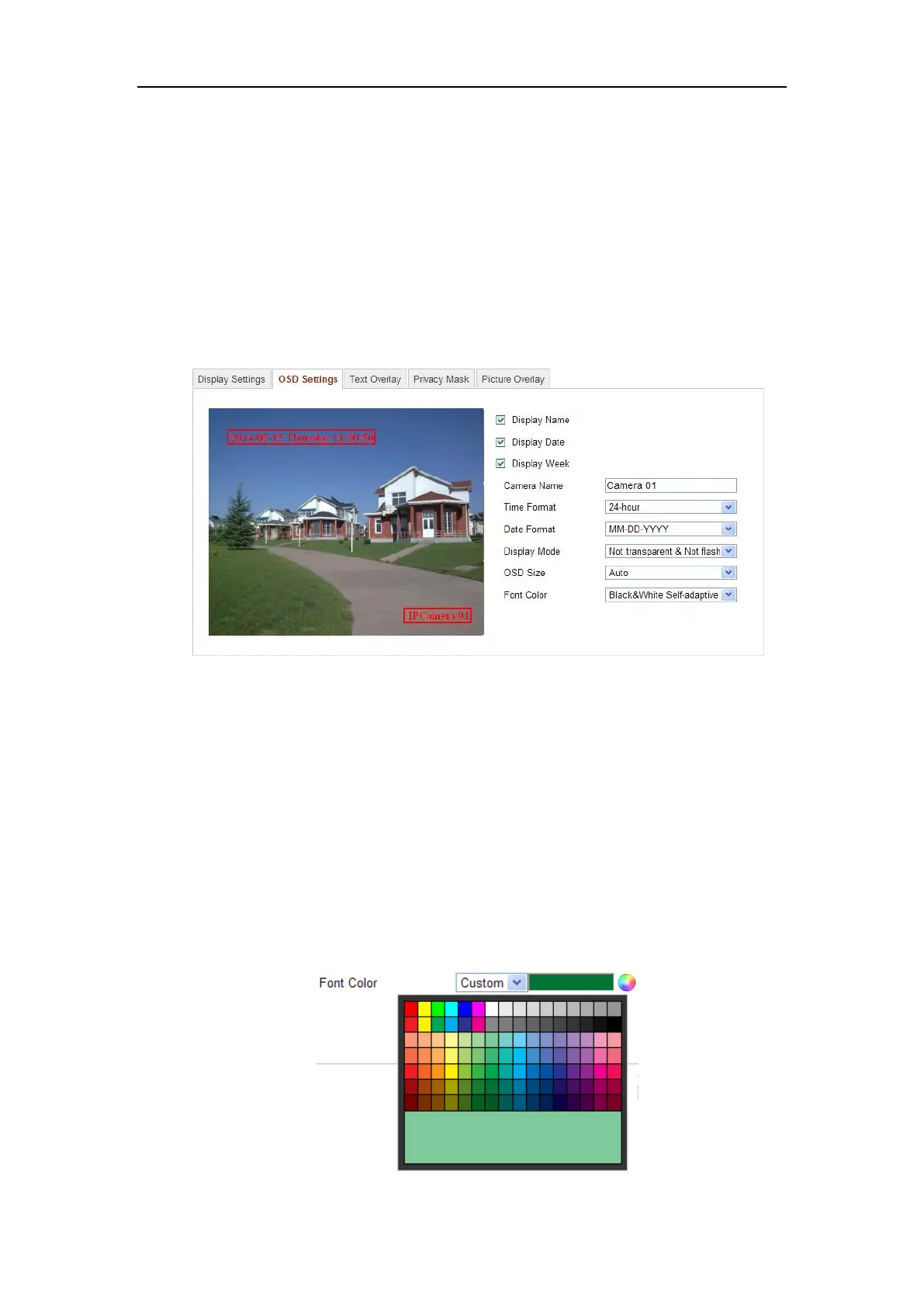
Configuration > Advanced Configuration > Image > OSD Settings
Figure 6-36 OSD Settings
2. Check the corresponding checkbox to select the display of camera name, date or
week if required.
3. Edit the camera name in the text field of Camera Name.
4. Select from the drop-down list to set the time format, date format, display mode
and the OSD font size.
5. Define the font color of the OSD by clicking the drop-down, and black & white
self-adaptive and custom are selectable.















 To Next Page