User Manual of Network Camera
52
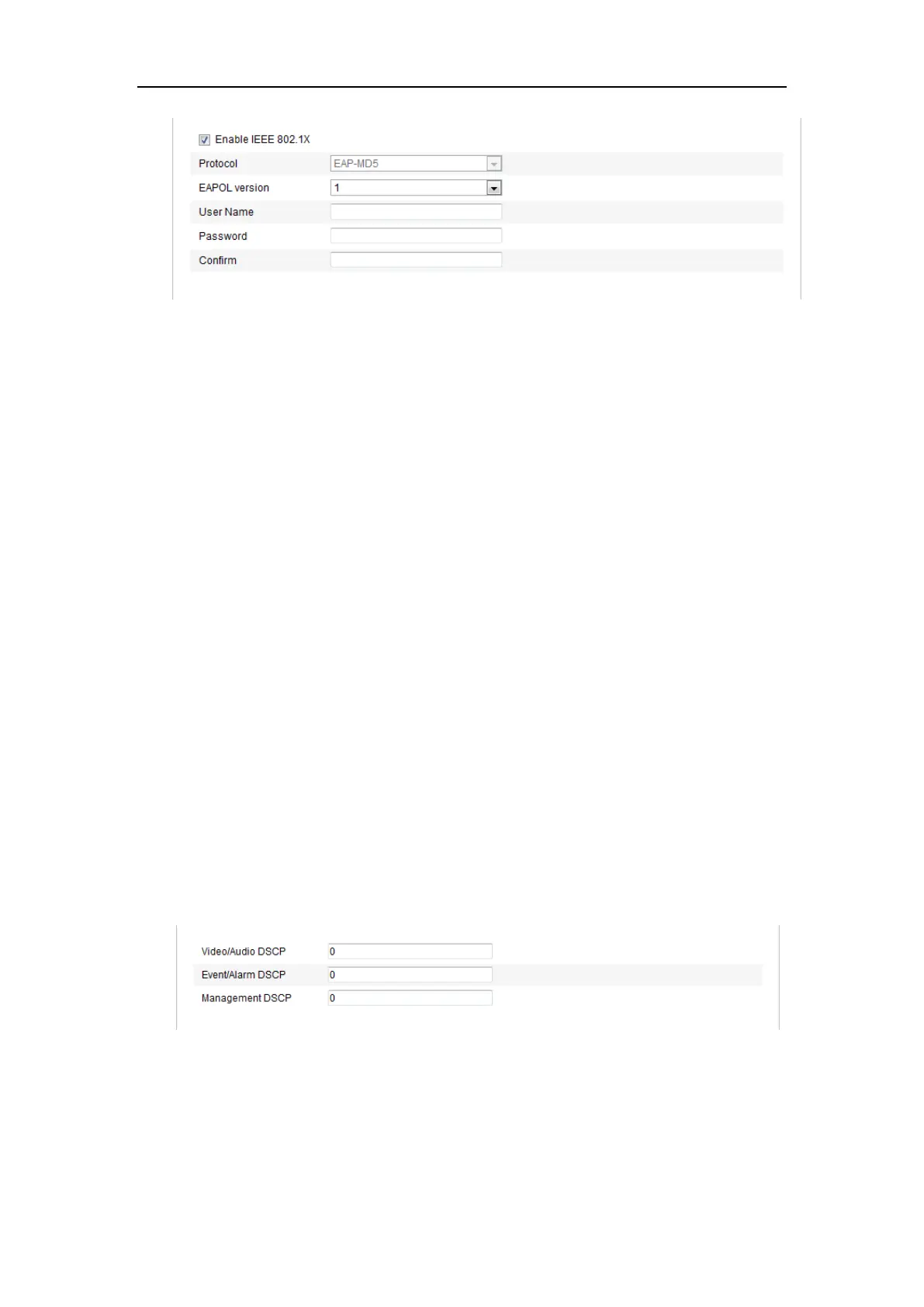
Figure 6-13 802.1X Settings
2. Check the Enable IEEE 802.1X checkbox to enable the feature.
3. Configure the 802.1X settings, including EAPOL version, user name and
password.
Note: The EAPOL version must be identical with that of the router or the switch.
4. Enter the user name and password to access the server.
5. Click Save to finish the settings.
Note: A reboot is required for the settings to take effect.
6.3.7 Configuring QoS Settings
Purpose:
QoS (Quality of Service) can help solve the network delay and network congestion by
configuring the priority of data sending.
Steps:
1. Enter the QoS Settings interface:
Configuration >Advanced Configuration > Network > QoS
Figure 6-14 QoS Settings
2. Configure the QoS settings, including video / audio DSCP, event / alarm DSCP
and Management DSCP.
The valid value range of the DSCP is 0-63. The bigger the DSCP value is, the















 To Next Page