User Manual of Network Camera
95
Detection
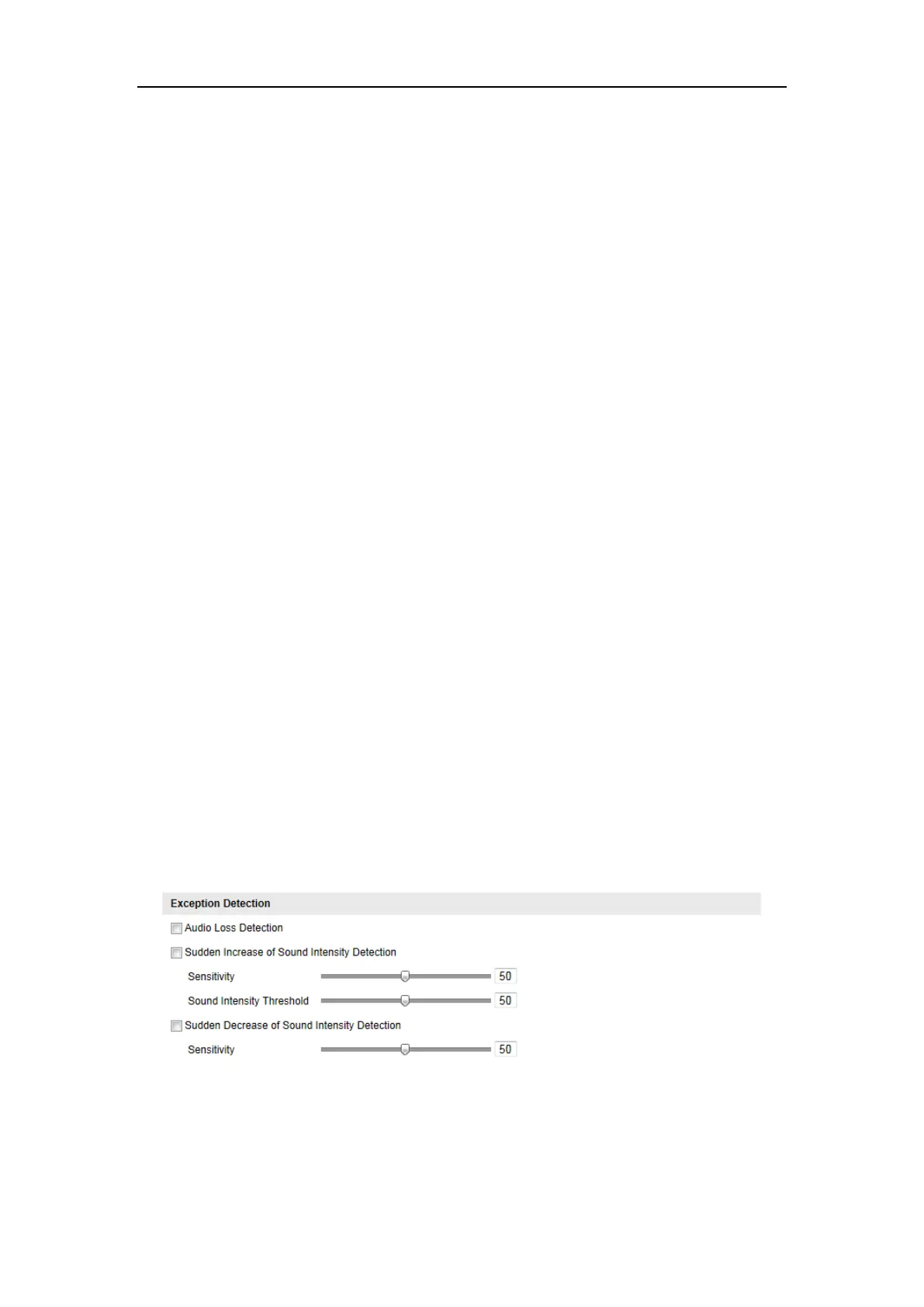
2. Check the checkbox of Audio Loss Exception to enable the audio loss detection
function.
3. Check the checkbox of Sudden Increase of Sound Intensity Detection to detect
the sound steep rise in the surveillance scene. You can set the detection
sensitivity and threshold for sound steep rise.
4. Check the checkbox of Sudden Decrease of Sound Intensity Detection to detect
the sound steep drop in the surveillance scene. You can set the detection
sensitivity and threshold for sound steep drop.
Notes:
⚫ Sensitivity: Range [1-100], the smaller the value is, the more severe the
change should be to trigger the detection.
⚫ Sound Intensity Threshold: Range [1-100], it can filter the sound in the
environment, the louder the environment sound, the higher the value should
be. You can adjust it according to the real environment.
5. You can view the real-time volume of the sound.
6. Click the Edit button to set the arming schedule.
7. Select the linkage methods for audio exception, including Notify Surveillance
Center, Send Email, Upload to FTP, Trigger Channel for recording and Trigger
Alarm Output.
8. Click Save to save the settings.
Figure 6-56 Configuring Audio Exception Detection















 To Next Page