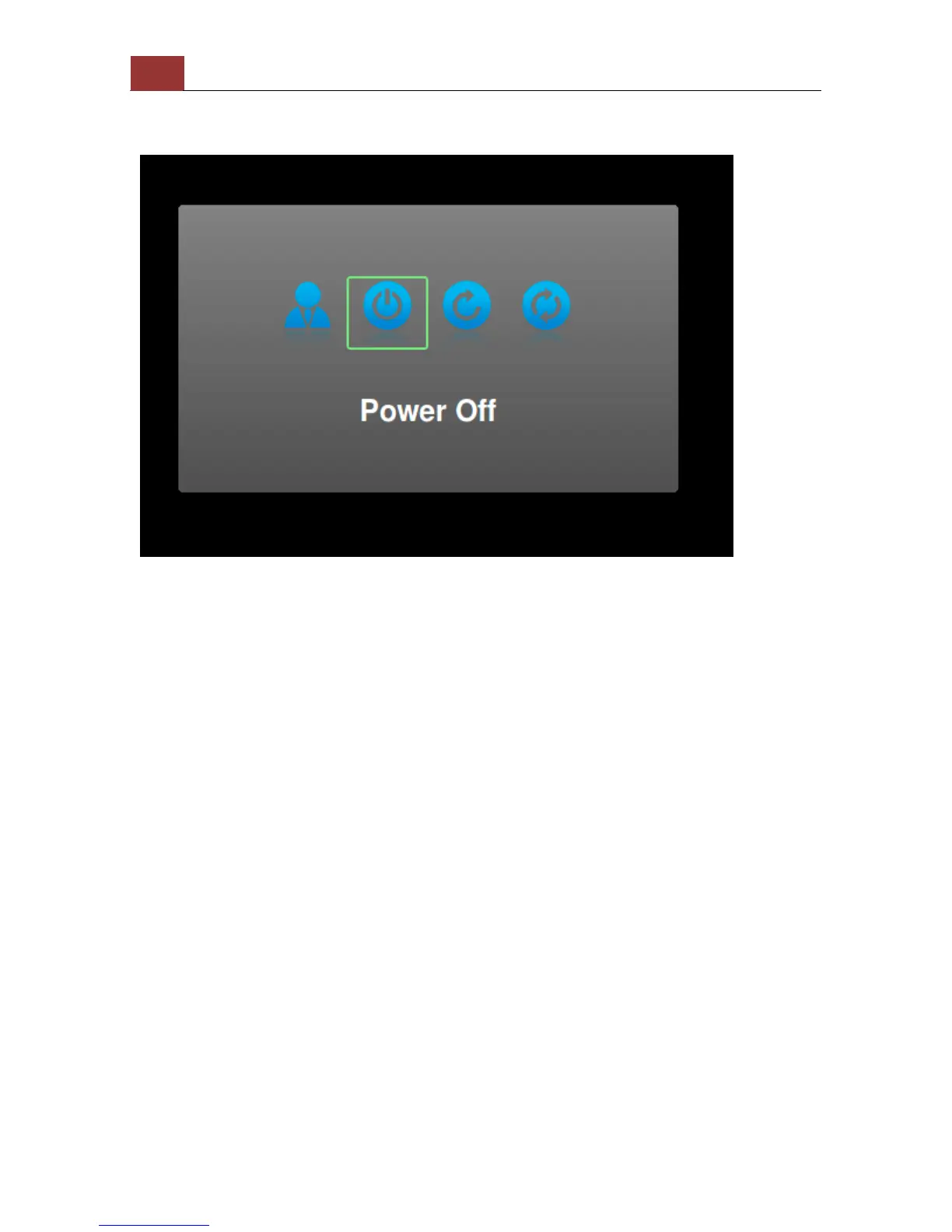
Power off
To power off the unit, press the "POWER" button on the remote. A
dialog will be prompted and the "Power Off" option should be selected.
Press the "ENTER" button on the remote to turn off the unit.
There are four options in the prompted dialog and they are (from left
to right):
1. Log out
2. power off
3. Restart
4. Reset to factory default


 To Next Page