DHCP server, and you can locate the NVR by using the NVR search
utility.
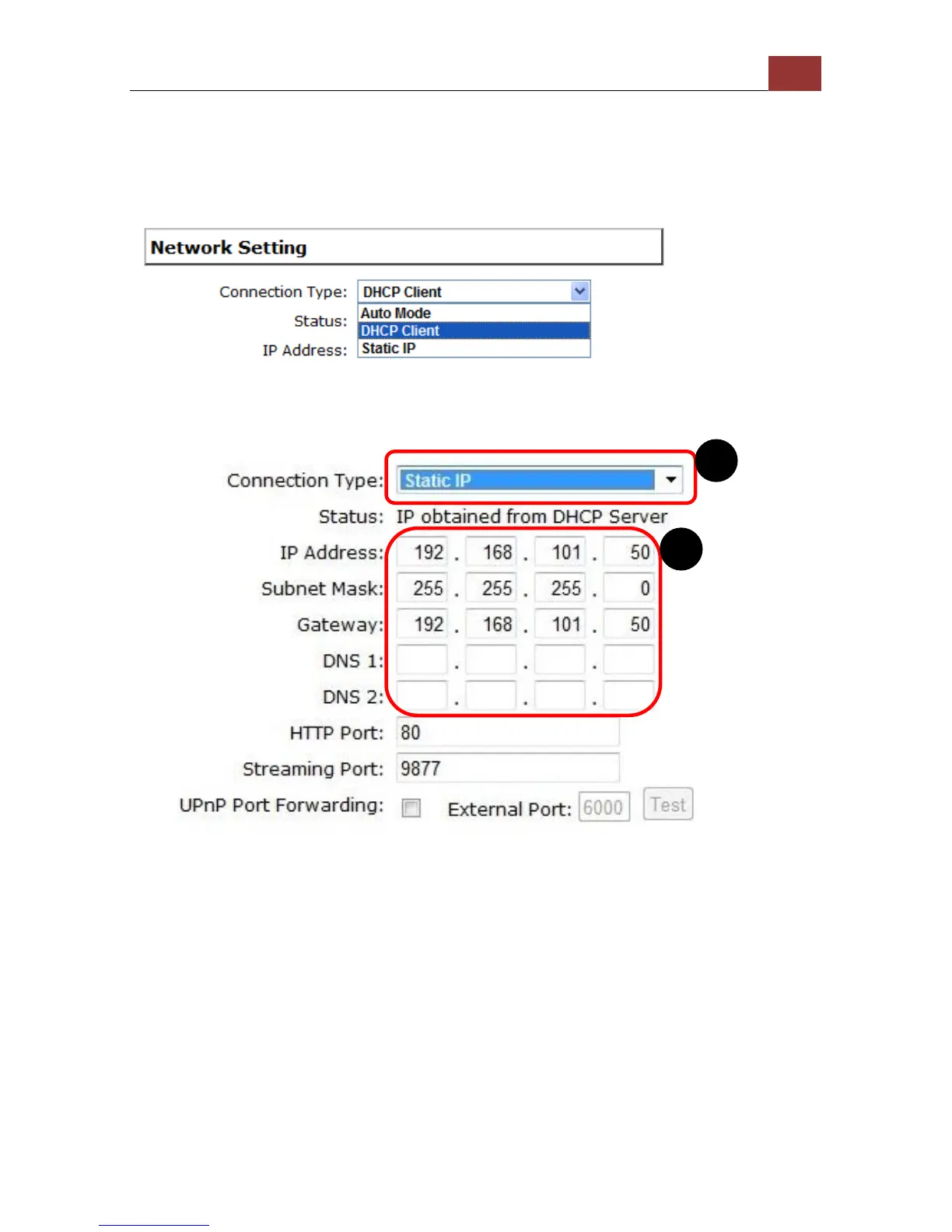
If there's no DHCP server in the network, and the NVR is set to use
"Auto Mode", it will use its own default static IP 192.168.101.50.
The NVR supports three connection types that can be configured
depends on how the network is setup.
If you wish to set the recorder to use a static IP address in your local
area network,
1. Choose “Static IP” from the “Connection Type” drop-down menu
2. Enter the IP address, subnet mask, default gateway address and
DNS server address for the recorder
3. Enable “DHCP Server” under “DHCP Server” if you wish to use the
recorder as a DHCP server, or leave it disabled if there is already a
DHCP server in the network
4. Click Apply for the settings to take effect



 To Next Page