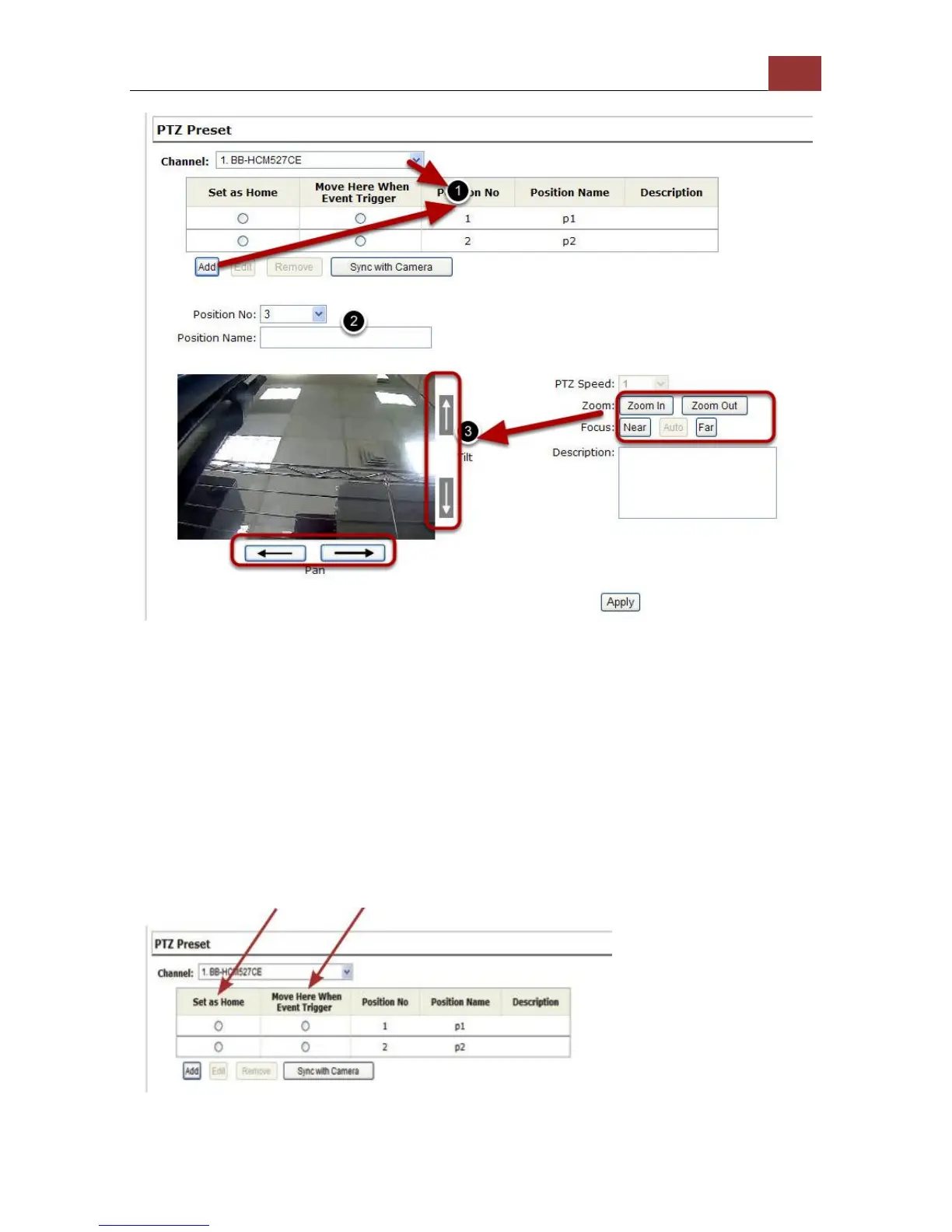
To set up PTZ preset points:
1. Select a camera from the “Camera” drop-down menu and click
“Add”.
2. Select a position number for the preset point from the “Position
Number” drop-down menu and fill in a name in the “Position Name”
field for easier identification.
3. Use the PTZ control provided in the configuration page to set the
preset point



 To Next Page