C
ONFIGURING
THE
S
WITCH
5-24
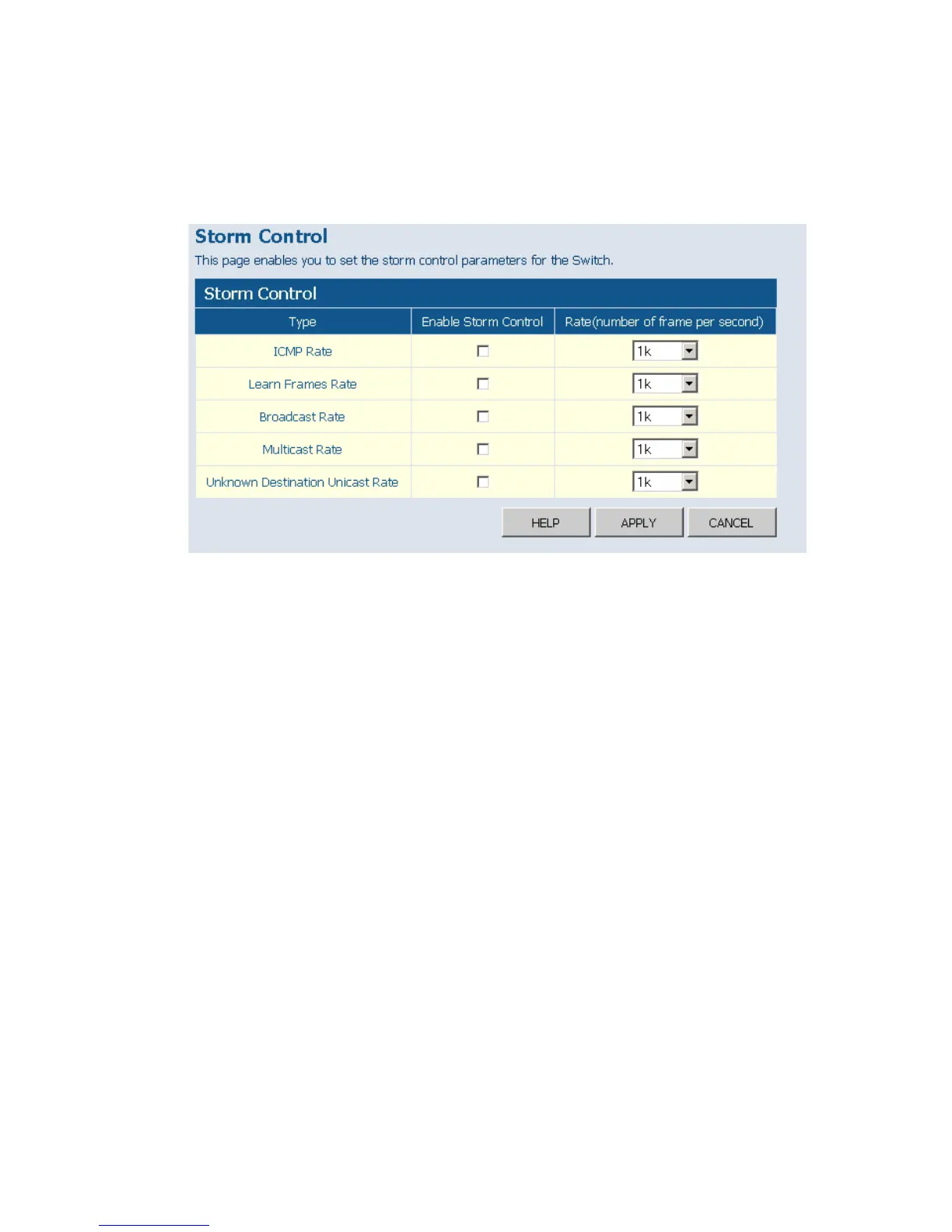
Web – Click PORTS, Storm Control. This page enables you to set the
broadcast storm control parameters for every port on the switch.
Figure 5-16 Port Broadcast Control
Port Mirroring
You can mirror traffic from any source port to a target port for real-time
analysis. You can then attach a logic analyzer or RMON probe to the target
port and study the traffic crossing the source port in a completely
unobtrusive manner.
Field Attributes
• Ports to Mirror - Select the ports that you want to mirror from this
section of the page. A port will be mirrored when the"Mirroring
Enabled" check-box is checked.
• Port to Mirror to – The port that will “duplicate” or “mirror” the traffic
on the source port. Only incoming packets can be mirrored. Packets will
be dropped when the available egress bandwidth is less than ingress
bandwidth.
Note: If the total ingress bandwidth exceeds the mirror port’s egress
bandwidth, packets will eventually be dropped on ingress to the











 To Next Page