W
EB
C
ONFIGURATION
5-31
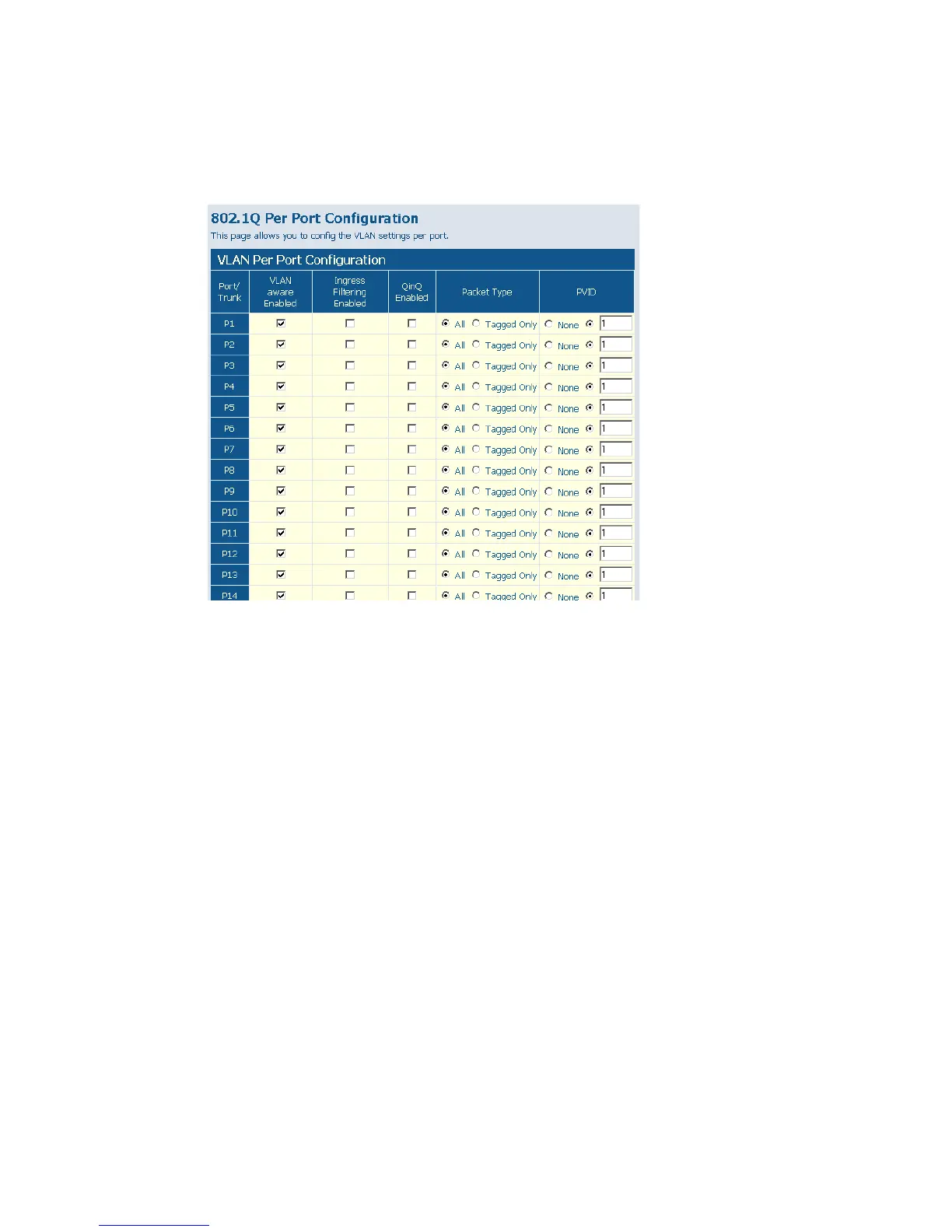
Web – Click VLANS, VLAN Settings. Fill in the required settings for each
interface, click Apply.
Figure 5-21 VLAN Settings
VLAN Memembership
You can create up to 255 VLANs based on 802.1Q standard and delete
VLANs (Virtual LANs) to change the VLAN membership and behaviour
of individual ports. You can create new VLAN group on Add VLAN
Group, and view every VLAN group ID on VLAN Group List.
Note: For QinQ application, the number of VLAN groups that would be
setup is equal to the number of customer ports. Each VLAN
group consists of two ports, customer port and network port. The
VID equals to PVID of the customer port. Network port is
member of the VLAN of customer port.











 To Next Page