C
ONFIGURING
THE
S
WITCH
5-26
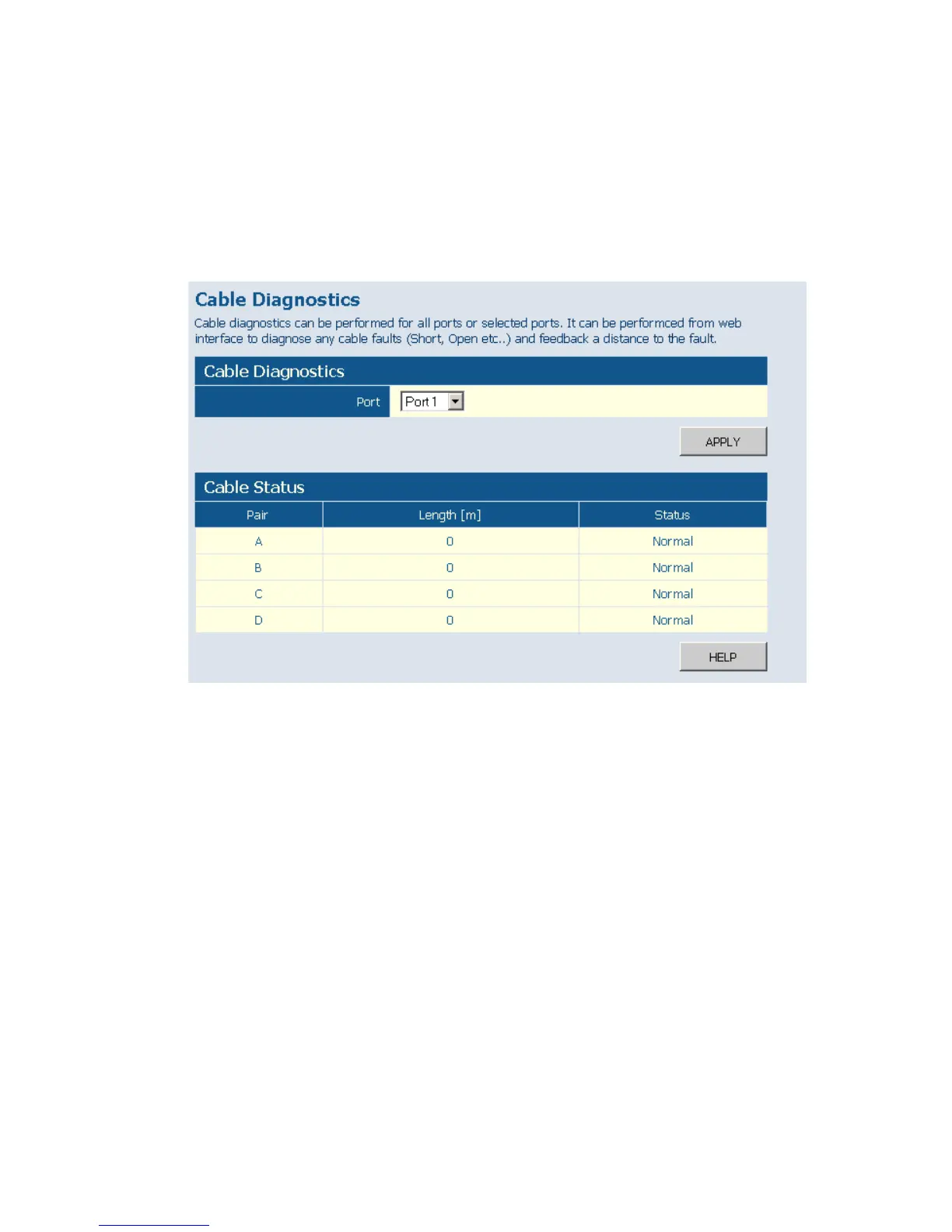
• Cable Status – Shows the cable length, operating conditions and isolates
a variety of common faults that can occur on Category 5 twisted pair
cabling.
Web – Click PORTS, Port Mirroring.
Figure 5-18 Cable Diagnostics
Trunks Membership
This page allows you to create a maximum of eight trunks of up to eight
ports each. The Membership Table has one row for each port and ten
columns. Each row contains nine radio buttons which are used to indicate
which trunk (if any) the port belongs to.
Field Attributes
•Port – The front panel port number.
• Not a Trunk Member – If the radio button in this column is selected,
the port is not a member of any trunks. This is the default state.











 To Next Page